Alternatives
Elephas alternatives: cited answers from your files, and the writing that comes after
Elephas does one thing well: it tells you what your own documents say and shows the file and passage behind every answer, while the documents and chats stay on your computer. You'll want something else if you're not on a recent Mac, if you also have a paper to write, or if $19 a month is a lot for a document assistant.
If keeping files on your own machine is why you chose it, read each alternative's privacy terms before you upload anything. For cited answers across a larger pile of papers, try Ponder or Jenni AI. To write with your sources, EthiWrite (we make it) cites only from what you've added.
Prices and features checked on October 17, 2026.
Where Elephas stops
The hardware rule comes first. Elephas runs only on Apple Silicon Macs with macOS 14 or later, and Windows is “coming soon”. A student on a Windows laptop or an older Mac can't use it at all today.
Then the price. There's no free plan, just a 7-day trial on one computer with no card and a starter amount of Elephas AI. Personal is $19 a month, and Professional, at $29, doubles the included AI usage and covers 3 computers. Yearly billing is advertised as saving about 20%, but the yearly price isn't shown.
And it won't help you write. Elephas reads the documents you give it and answers with sources; it doesn't advertise an editor, citation styles or a bibliography, or drafting essays or editing your text. If the end product is an essay, you'll be copying answers into another app.
Reviews of Elephas mostly cover its earlier writing app, not the current one. On Product Hunt, one reviewer of that app valued its Brains but found the answers less accurate than a well-trained ChatGPT-4 session.
Its strengths are specific, and worth listing before you go. It hides names, emails and phone numbers before a question reaches a cloud model, and shows you what it hid. It reads PDFs, Word documents, spreadsheets, slide decks and scanned pages. And answers can come from Elephas AI, your own API key or a model that runs on your Mac.
What to look for in a Elephas alternative
Ask where your files go
Elephas keeps documents, index and chats on your computer. The other tools on this list take your files as uploads, so read what each one promises. Thesify, for example, says uploads are never shared, never sold and never used to train AI. Decide which promise you need before you upload a draft or a dataset.
Make sure every answer shows its passage
Opening the passage behind an answer is the habit Elephas builds, so don't give it up. Ponder opens the exact paragraph when you click a citation, and Paperguide links each claim to the sentence in the paper it came from.
Decide whether you also need to write
If the output of your research is a report or an essay, citation styles and a bibliography matter, and Elephas doesn't advertise either. Pick a tool that formats references in the style your department uses.
The best Elephas alternatives
1. EthiWrite
Full disclosure: this is our tool.
EthiWrite starts where Elephas stops: your documents become the evidence for an essay you write. The Library takes uploaded PDFs, papers from the open OpenAlex index, web pages and books. Citations can only come from it, picked from passages retrieved from your sources, and when nothing supports a claim the result is empty rather than an invented reference. Autocomplete suggests a sentence at a time, at most about thirty words, and stays out of the essay until you accept it.
Examiner Mode then flags unsupported claims and thin evidence in the draft without rewriting a word. There's a free Plan with no card and no expiry, though it holds 10 Sources. The limit to know before you switch: citations come out in APA, MLA and Chicago only.
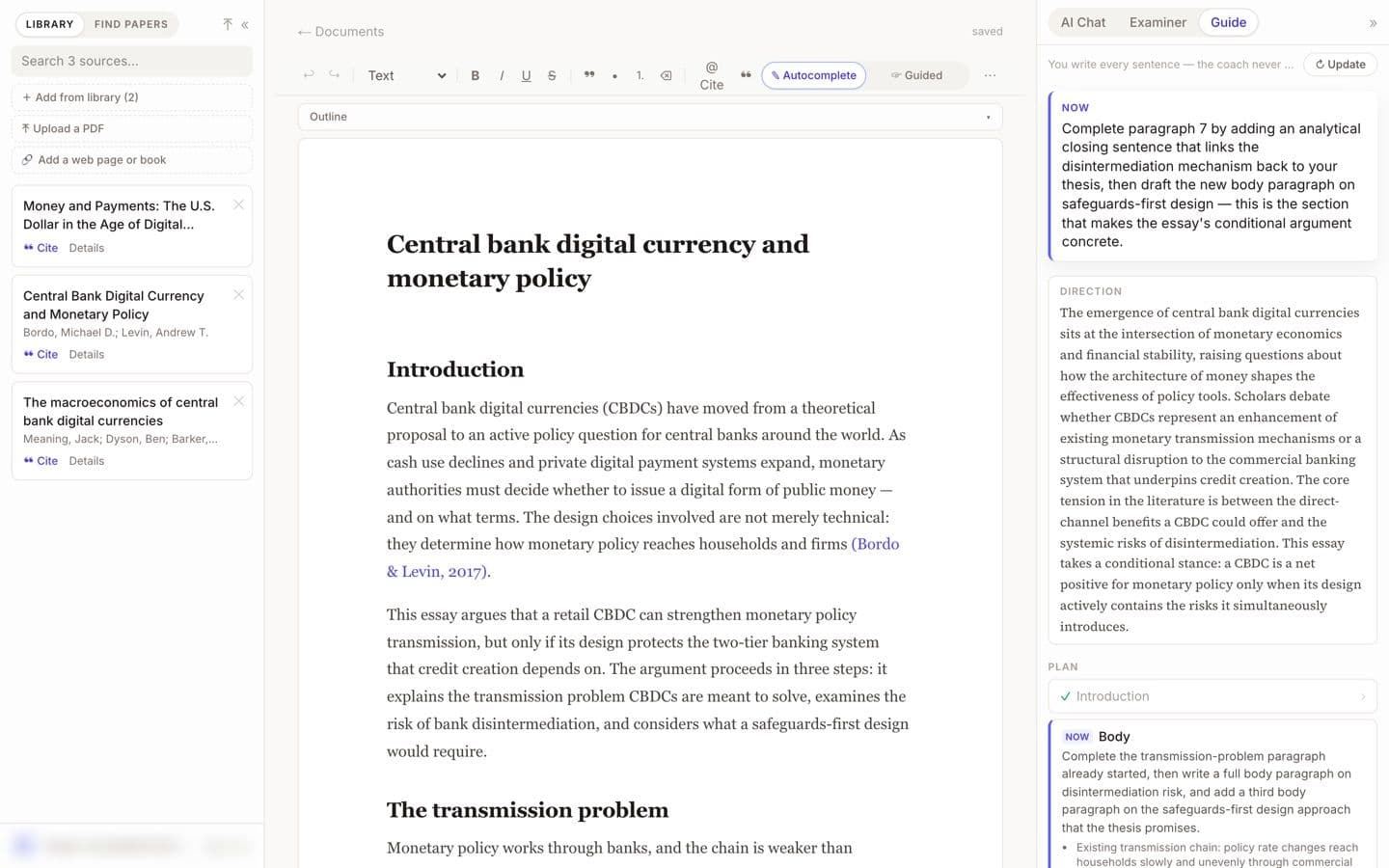
EthiWrite editor with the Guide panel open (demo account, email blurred). Best for: Students who want to write from their own documents, with every citation drawn from them.
2. Ponder
Ponder is the nearest match for questioning your own material, with a literature search attached. A project mixes your PDFs, Word files, slides, audio and web links with 320M+ scholarly works, and clicking a citation opens the source paragraph. It flags citations that rest only on an abstract or a link, and checks for retractions before export.
The free plan refreshes 50 credits a day with limited file uploads; Casual is $14 a month billed yearly or $16 monthly, with unlimited uploads. Its Draft stage writes literature reviews and papers from your sources, something Elephas doesn't advertise. A review sponsored by Ponder warned that credits go faster than expected.
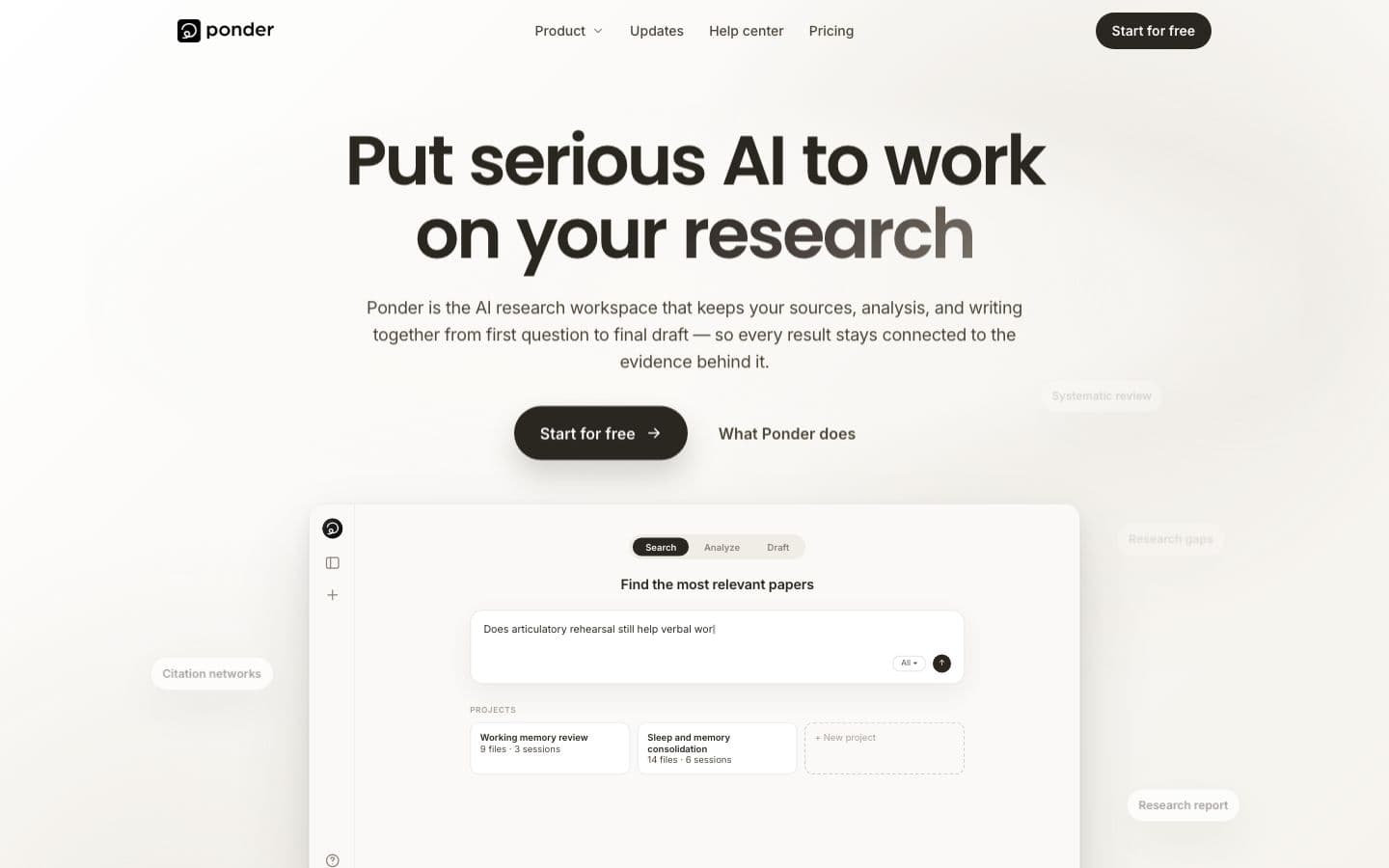
Ponder public homepage, signed out (the workspace needs an account). Best for: Researchers who want answers traced to their own files plus a search of the wider literature.
3. Jenni AI
Jenni AI's chat reads your library and answers with citations, so you can still question your own papers and then write in the same place. Sources come from PDF uploads, Zotero, Mendeley or its 200M+ paper search, and its suggested sentences link to the place in the PDF they came from.
The free plan covers 10 autocompletes a day, 10 PDF uploads, 5 chat messages and 3 Reviews; Plus, at $12 a month, has unlimited PDF uploads and 500 chats a month. Autocomplete can run on into whole passages, so limit it to your library and keep your own hand on the text. Billing is the complaint Trustpilot reviewers raise most.
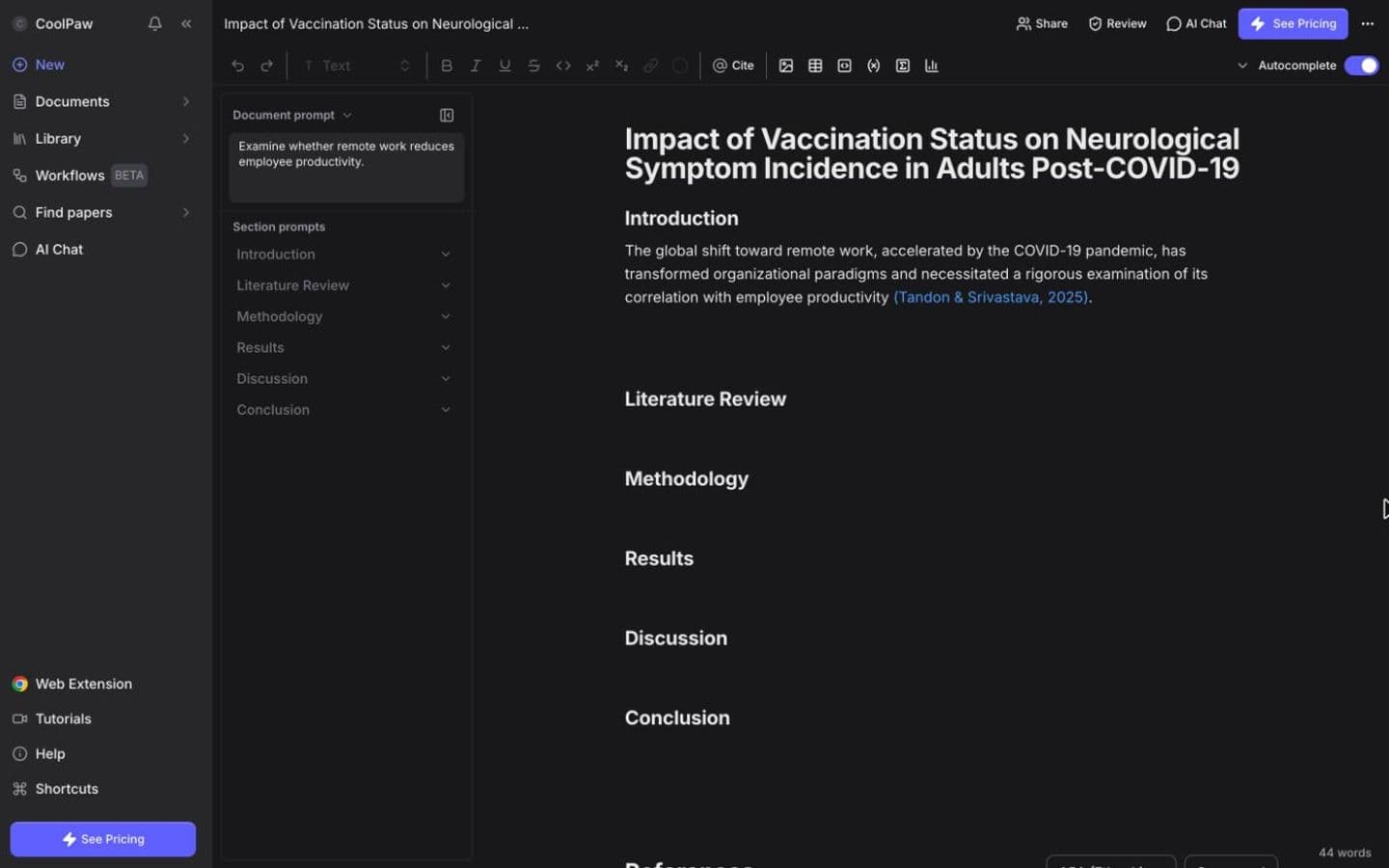
Jenni AI editor, signed in to a free account. Best for: Students who want to chat with their papers and write the essay in one editor.
4. Paperguide
Paperguide treats your files as one part of a research library. It imports from Zotero or Mendeley, switches between 1,000+ citation styles, and links every claim to the exact sentence in the source, across your library and 200M+ indexed papers. Extract Data pulls the same details from many papers into a table where each value points to its statement.
You get 2,000 AI credits a month free; Plus costs $12 a month per seat on annual billing. It's built around literature and systematic reviews for researchers and labs, and its AI Writer will draft from a research question if you ask.
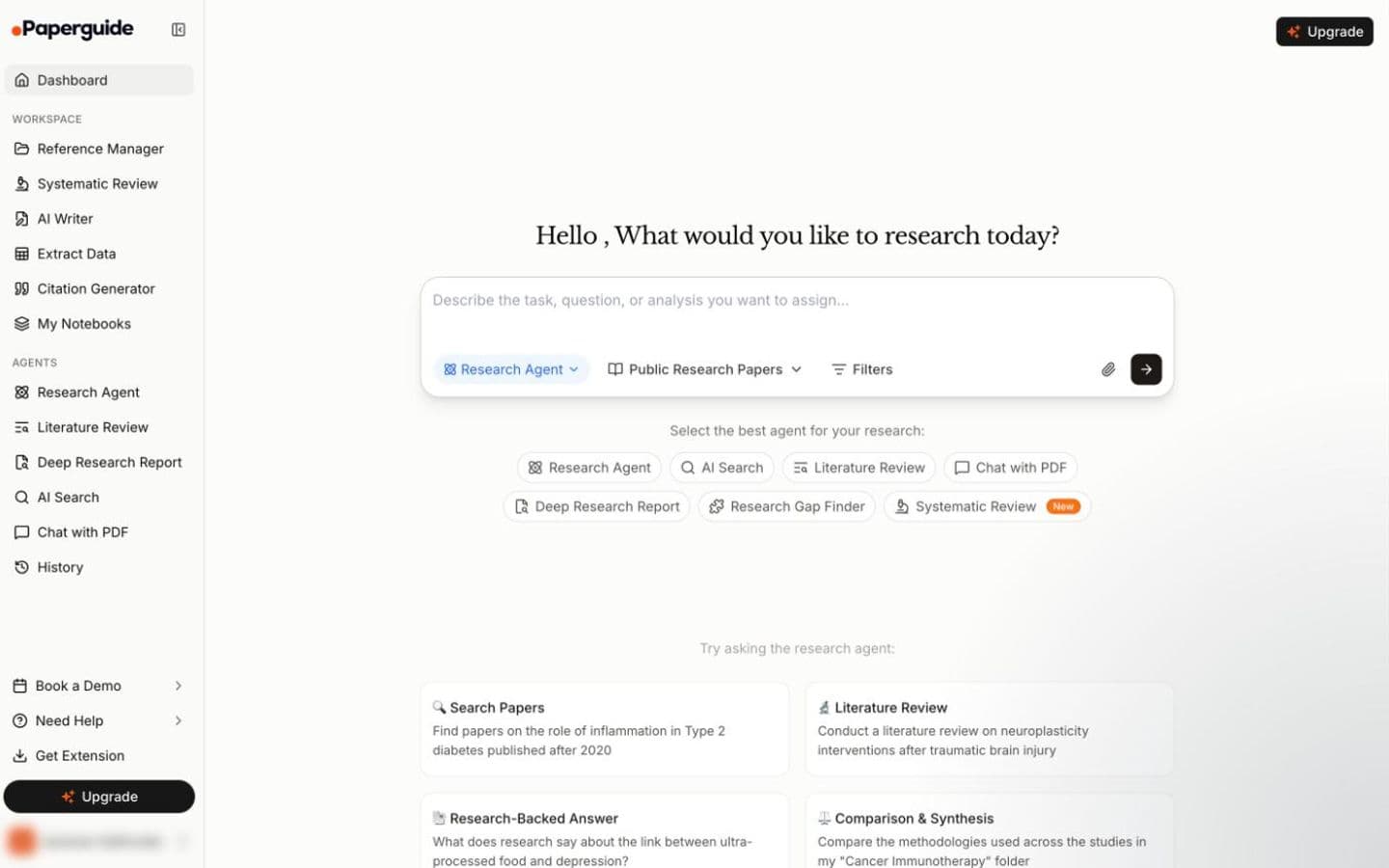
Paperguide dashboard, signed in to a free account (the account name is removed). Best for: Researchers pulling data out of many papers for a literature or systematic review.
5. Yomu AI
Yomu AI chats with PDFs, images and web search, and saves sources to a library you reuse across documents. Around that sits a writing editor, with Sourcely-powered citations in 700+ styles.
It's built to write as well. Describe the paper and it produces a full, researched draft, though its ethics statement asks that it be used alongside your own writing, not instead of it. Pro is $10 a month billed annually or $21 month to month, and no free plan is listed for the editor. A review based on public information liked having everything in one workspace but said the citations still need checking.
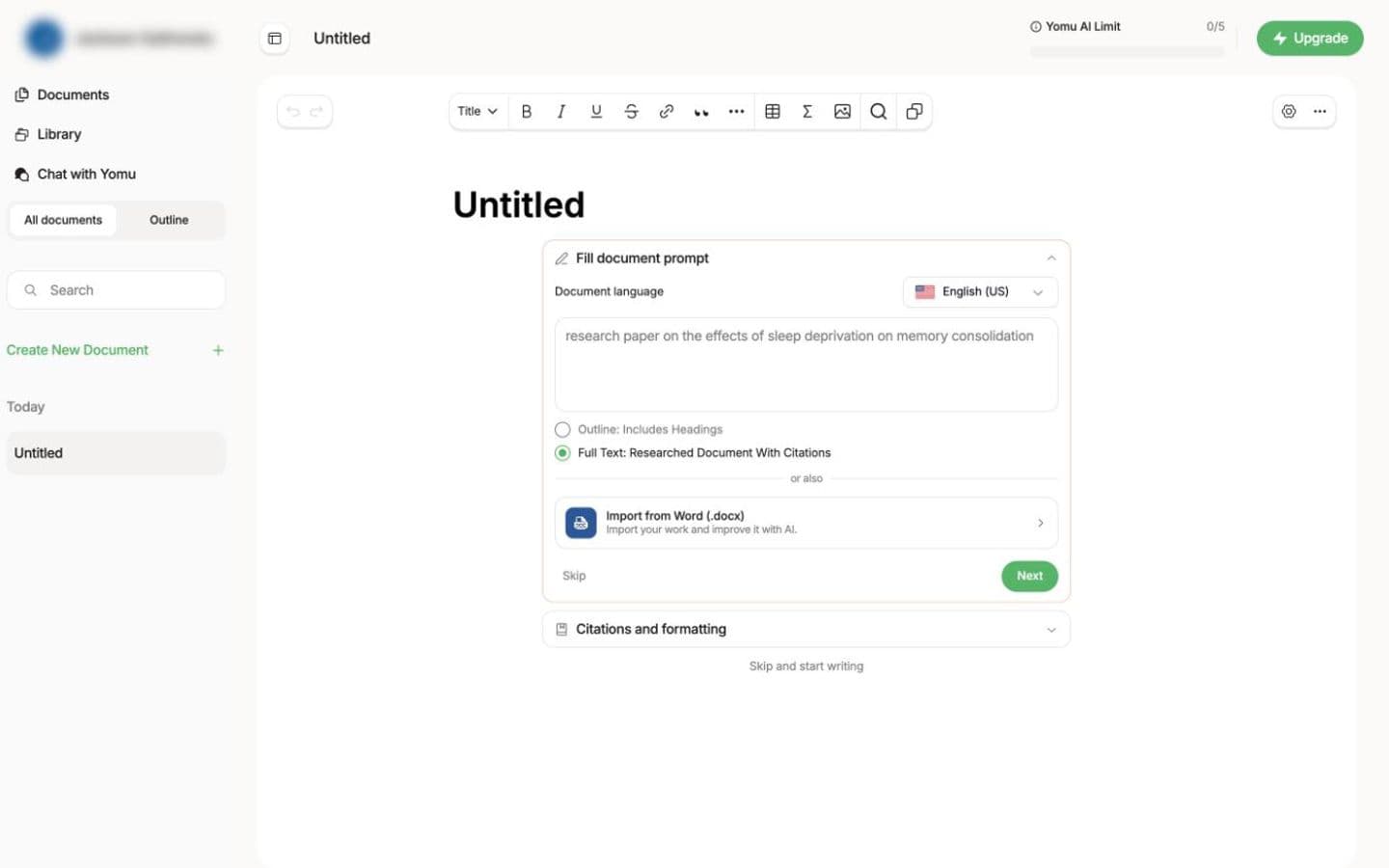
Yomu AI new-document screen, signed in to an unpaid account (its pricing FAQ says you can start for free to try it; the account name is blurred). Best for: Students who want PDF chat and an AI that drafts, in one paid editor.
6. CitedEvidence
CitedEvidence offers PDF chat over a library with unlimited files, and connects a Zotero library on every plan. When your own files run out, it searches its own scholarly index, drawn from Google Scholar, PubMed, Semantic Scholar, Crossref, arXiv and more.
Basic is $10 a month for 500 credits, though the pricing page also lists 100 for the same plan. AI Thesis generates thesis sections and long-form documents, and no independent benchmark of its citation accuracy has been published. A desk review credits the breadth of its tools but finds the credit pricing hard to predict.
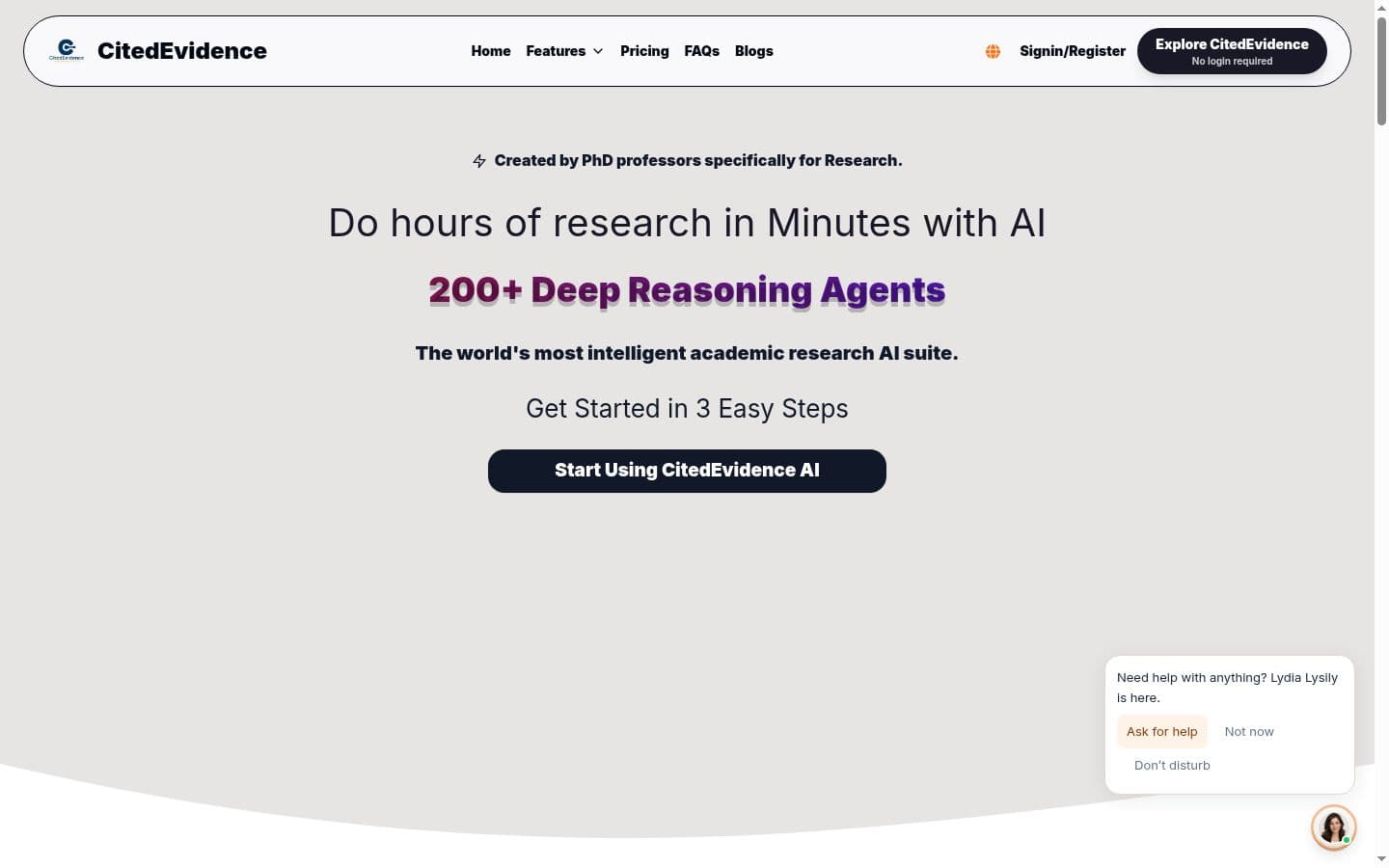
CitedEvidence public homepage, signed out. Best for: Researchers who want PDF chat and a paper index together and will check every citation.
7. Thesify
Thesify is a feedback tool, not a question-and-answer one. Reviewer gives structured feedback on a draft of up to 100,000 words, using rubrics for thesis strength, evidence, clarity and fit with the assignment, and gives you a downloadable report. Highlight text and it searches 200+ million references to add a citation.
Under a popular YouTube walkthrough, the most-liked questions were about the risk of uploading unpublished work; its homepage now says uploads are never shared, never sold and never used to train AI. Reviews cost €14.95 each or €24.95 a month for three. There's no free plan; only the Coauthor workspace has a 14-day trial.
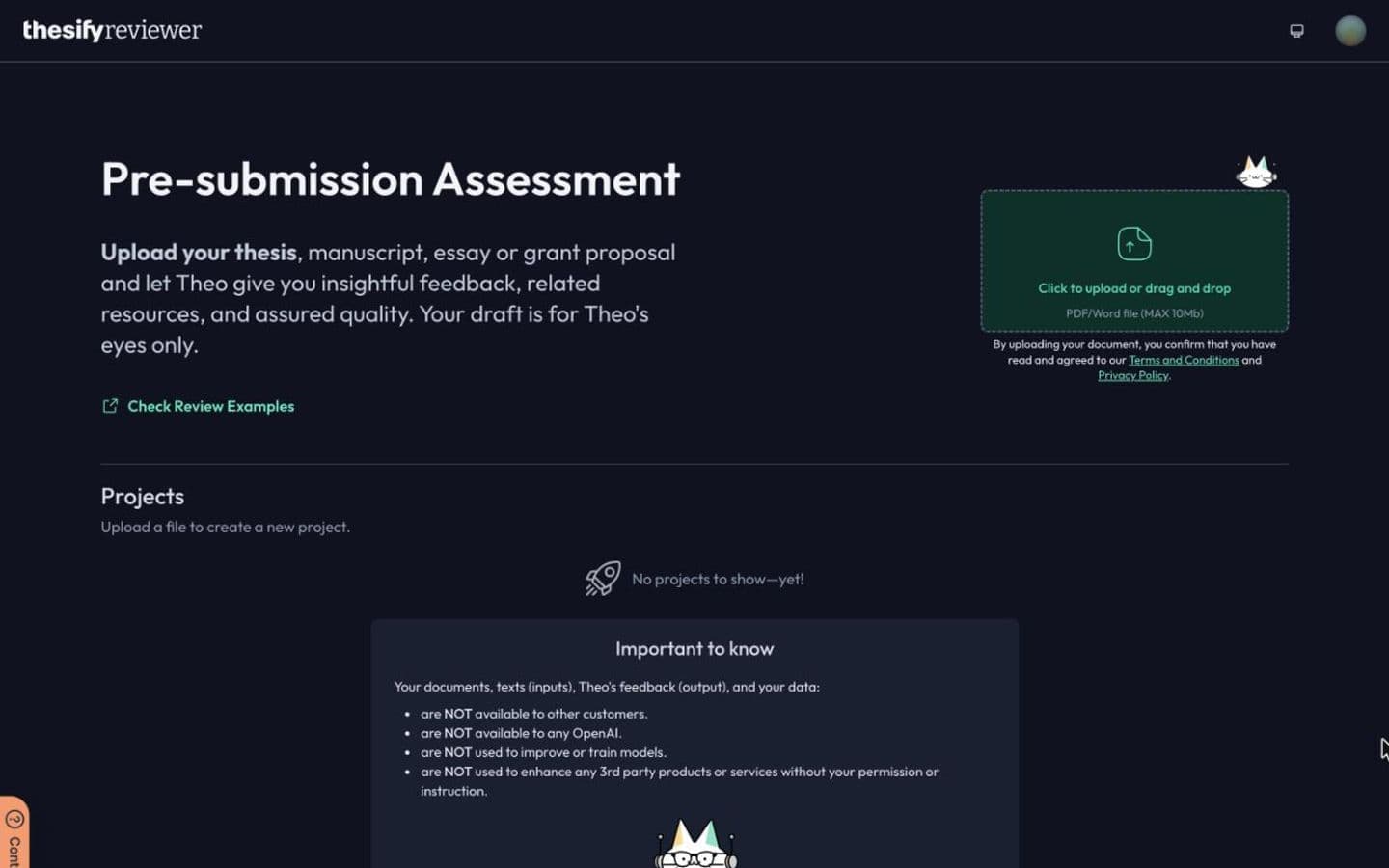
Thesify reviewer, signed in to a free account, before any document is uploaded. Best for: Graduate students who want rubric feedback on a draft from a tool that says it won't train on it.
At a glance
Every tool above, with Elephas on the last row for reference. Writing assistants help you write; essay generators write the essay for you.
| Product | Type | Paid from | Free tier | Citations | Ghostwriting |
|---|---|---|---|---|---|
| EthiWrite | Writing assistant | $9 (billed every week) or $10/month ($120 billed annually) | Yes | Only from sources you added | Guides; you write |
| Ponder | Writing assistant | $14/month | Yes | Your sources, or papers it finds for you | Drafts text when asked |
| Jenni AI | Writing assistant | $12/month | Yes | Your sources, or papers it finds for you | Drafts text when asked |
| Paperguide | Writing assistant | $12/month | Yes | Your sources, or papers it finds for you | Drafts text when asked |
| Yomu AI | Writing assistant | $10/month | No | Your sources, or papers it finds for you | Writes the essay |
| CitedEvidence | Writing assistant | $10/month | No | From its own paper database | Writes the essay |
| Thesify | Writing assistant | €7.50/month | No | From its own paper database | Drafts text when asked |
| Elephas | Writing assistant | $19/month | No | Only from sources you added | Guides; you write |
The bottom line
Keep Elephas if you're on a supported Mac and private, cited answers from your own files are all you need. If you also have to write the paper, or you're on Windows, choose by the job: Ponder for cited answers plus a literature search, Jenni AI or Yomu AI for an editor built around your library, Paperguide for a formal review.
FAQ
- Is there a free alternative to Elephas?
- Elephas itself offers only a 7-day trial. Ponder gives 50 credits a day free, Paperguide 2,000 AI credits a month, Jenni AI a small free plan, and EthiWrite a free Plan with no expiry.
- Which alternative works most like Elephas?
- Ponder, if what you value is clicking from an answer to the passage behind it; it adds a scholarly search on top of your own files. Jenni AI comes next, with a chat that answers from your library with citations.
- Can Elephas run on my own AI model?
- Yes. Answers can come from Elephas AI, your own API key or a model that runs on your Mac. A review of the earlier app suggested offline models only on a powerful Mac with 16GB of RAM.
- Is Elephas a good choice for students?
- It can be, for reading. For coursework it lacks the writing side: no advertised editor, citation styles or bibliography. It lists no student pricing, it's marketed to lawyers, accountants and consultants as much as researchers, and the 7-day trial is short for a semester-long project.