Alternatives
Paperpal alternatives: what to use instead in 2026
Paperpal's strength is the last stretch of a paper: academic grammar, plagiarism checks and journal-style checks inside the editor you already use. There are three good reasons to look elsewhere anyway: you want a price you can see up front, a free plan that suits how you work, or help earlier, while the argument is still taking shape.
Trinka and Writefull are the nearest like-for-like editors, and both publish a price. For the earlier stage, EthiWrite (our tool) and Thesify give feedback on the argument itself, and Paperguide, Jenni AI and Ponder cover the research and sources side.
Prices and features checked on October 17, 2026.
Why Paperpal users start shopping around
The first friction is the price itself. Prime and Pro are billed monthly or annually, but the pricing page shows no figure until it loads one for your region, so you can't line it up against anything before you commit.
The free plan is wide but shallow: 200 grammar edits a month, five a day each of the AI writing tools and research Q&A, five files a month of chat with papers, and lite plagiarism and journal-fit reports. If you edit a chapter at a time, 200 edits is not many.
Some researchers distrust AI editing on principle. When someone asked about Paperpal on r/research, commenters warned that it can blur what you meant, and a paraphraser that restructures your sentences sits right in that zone. Paperpal also offers to draft with suggestions grounded in your sources, which matters if your course restricts AI-generated text.
Credit where it's due: it works in Word, Google Docs and Overleaf, runs 30+ pre-submission checks against journal standards, compares your text against 99B+ sources for plagiarism, and its Research and Cite search covers 250M+ articles with 10,000+ citation styles. Trustpilot reviewers, most of them invited by Paperpal, praise its AI-detection checks.
What to look for in a Paperpal alternative
Decide which stage you need help with
Editors work on sentences you've already written. If the real problem is that a section doesn't hold together, or a claim has nothing behind it, grammar suggestions alone won't fix it. Look for feedback on structure and evidence instead, and save the polish for the end.
A price you can see before you sign up
Prefer a tool that publishes its numbers. Trinka lists Premium at $48 a year and Writefull lists Premium at US$150 a year, so you can work out what a year of editing costs before you hand over a card.
Control over every change
Any editor is guessing at what you meant. Pick one that lets you accept or reject each change, and compare a paraphrase with your original before you keep it, especially in a methods section where one word can change the claim.
The best Paperpal alternatives
1. EthiWrite
Full disclosure: this is our tool.
Paperpal is mostly an editor of text you've already written. EthiWrite is built for the stretch before that. In Guided mode it writes nothing at all, and Autocomplete offers a short continuation, a sentence at a time and capped at about thirty words, as grey text that only enters your essay if you accept it. Examiner Mode then maps your argument and flags unsupported claims, thin evidence and structural gaps, without touching your wording.
Citations can only come from sources in your Library, and when nothing there supports a claim you get an empty result. There's a free plan with no card. The honest gap: paper search covers one index, OpenAlex, rather than a commercial database, so you may still bring some papers in yourself.
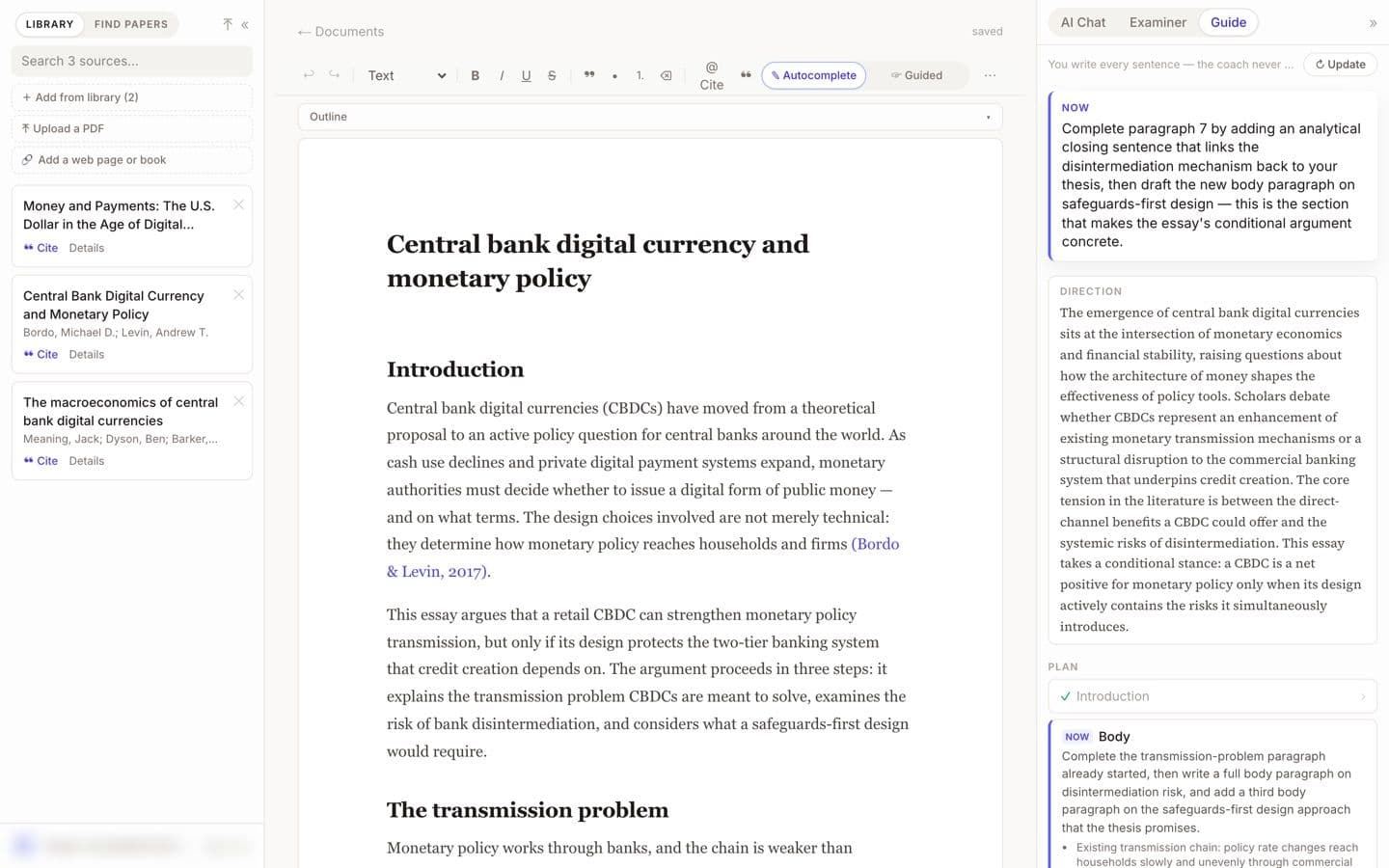
EthiWrite editor with the Guide panel open (demo account, email blurred). Best for: Students who want help shaping and supporting an argument before they worry about polish.
2. Trinka
Trinka is the closest like-for-like replacement: a grammar and academic-style checker with plagiarism checks and an AI detector. Where it differs is references. Its Citation Checker validates the references you already have against Crossref and flags retracted, hallucinated and predatory sources, and paid plans correct to APA, AMA, ACS, AGU and IEEE style. It runs in Word, the browser, a Windows app and on LaTeX files.
Unlike Paperpal, it shows a price: Premium is $48 a year billed yearly, and monthly billing is offered though not priced on the page. The Basic plan never expires and covers 5,000 words a month in lite mode, plus 4 credits. Trustpilot reviewers credit it with better grammar and academic tone, and complain most about those free limits.
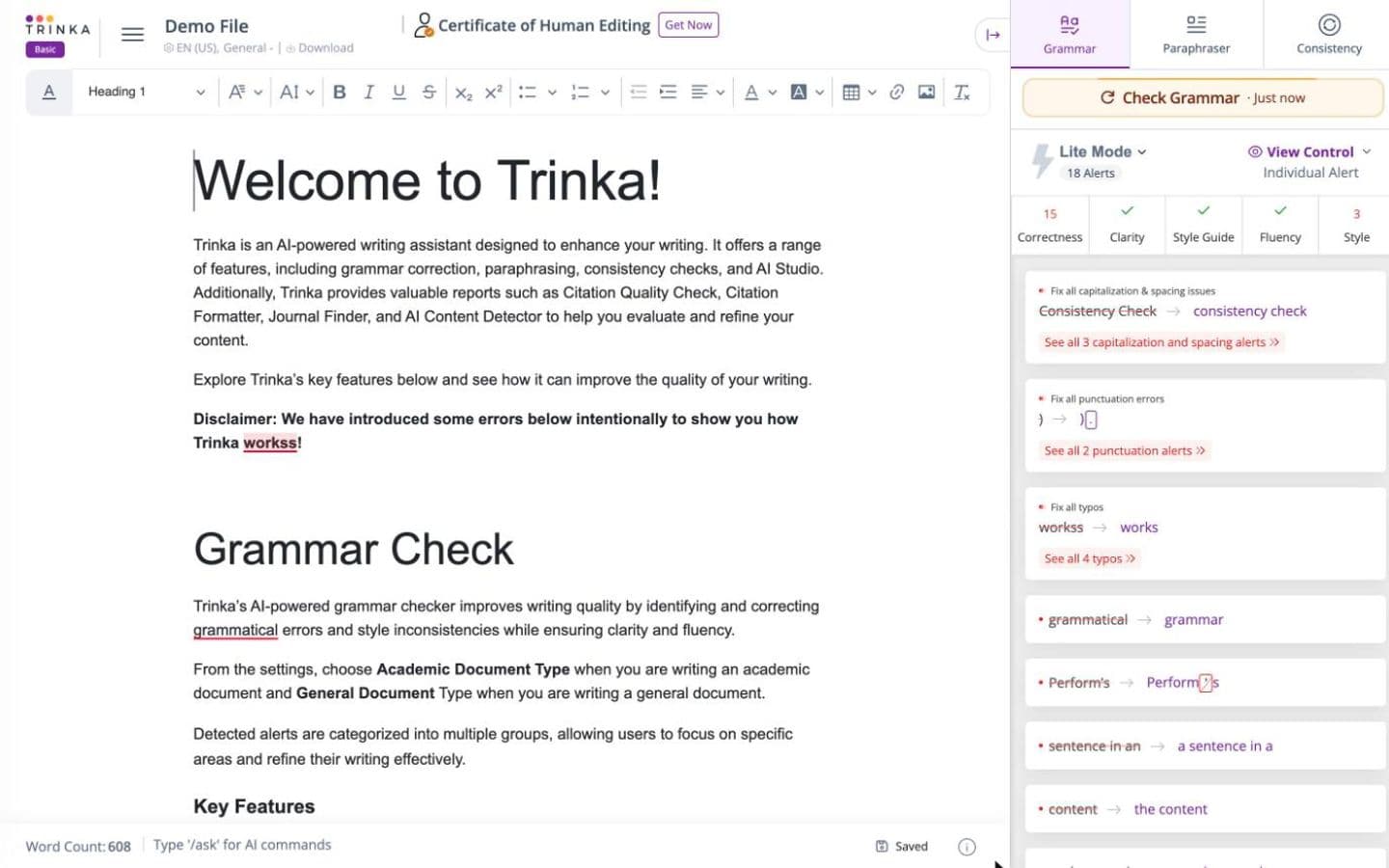
Trinka editor on its built-in demo file, signed in to a free account. Best for: Researchers who want Paperpal-style polish with a published price and a reference checker.
3. Writefull
Writefull is the other academic language editor worth trying, especially if you live in Overleaf. It checks language directly in LaTeX source, can generate LaTeX tables and equations, and its feedback comes from models trained on published papers. It says it never stores your text or trains on it, and asks before sending text to third-party AI services.
It's narrower than Paperpal, since it doesn't find, manage or format sources. Premium costs US$21 a month or US$150 a year, and the free plan is a limited quota of each tool. On r/academia some users ran through the free quota quickly, and others say they were charged after cancelling.
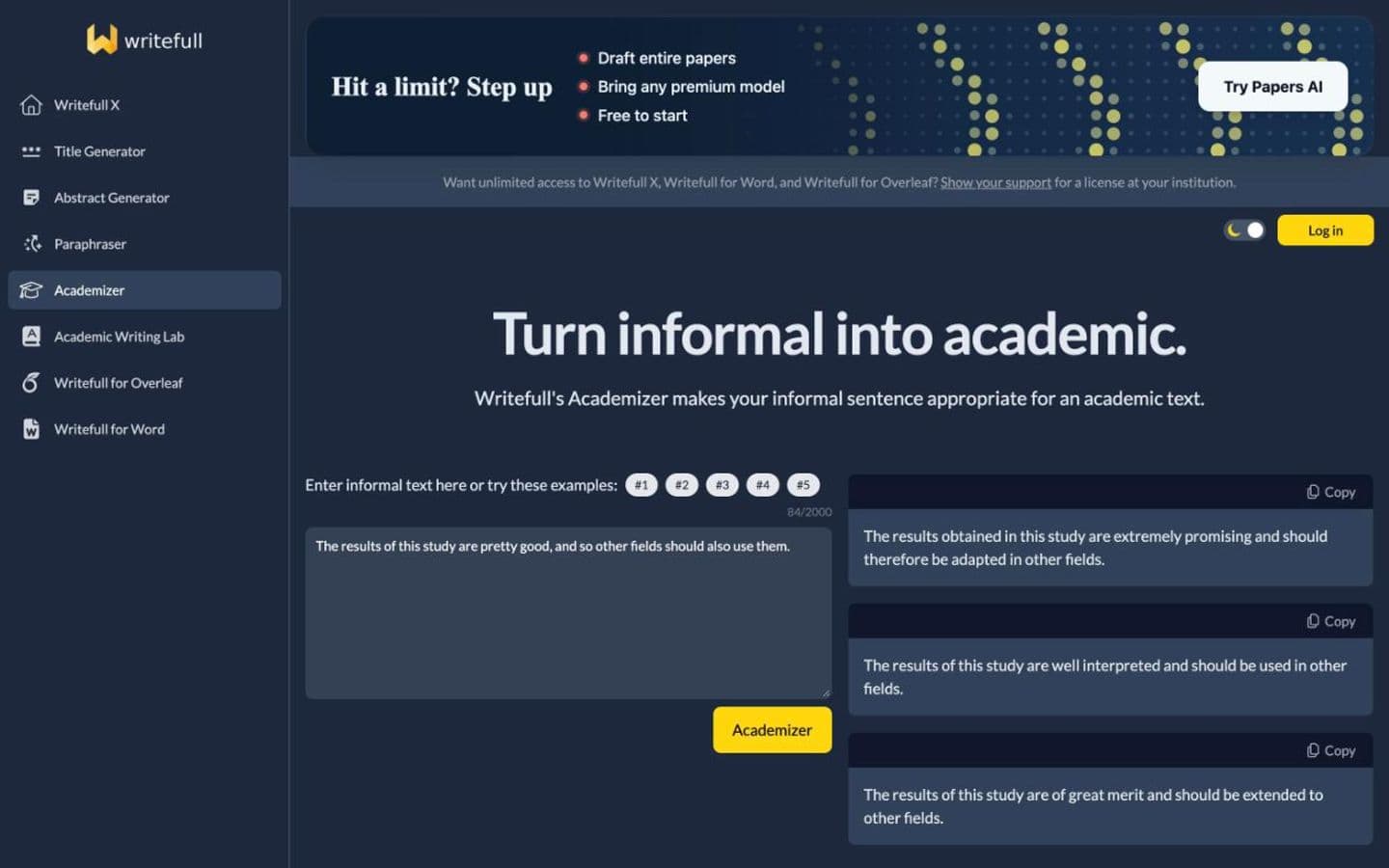
Writefull Academizer run on its own example sentence, signed out (the Word and Overleaf tools need an account). Best for: LaTeX writers who want academic language edits and care where their text goes.
4. Grammarly
Grammarly is the general-purpose option, and its docs editor now goes past grammar. AI Grader estimates your grade from the rubric you give it, with personalized feedback, and Reader Reactions points to where a reader could get confused. Both are free with daily limits, alongside 100 AI prompts a month.
On citations it offers fewer styles than Paperpal: Citation Finder suggests web-based sources, formats in APA, MLA or Chicago only, and doesn't name its databases. Pro is $144 a year, or $30 month to month. On Reddit, students also describe high AI-detector scores on work they only edited with Grammarly.
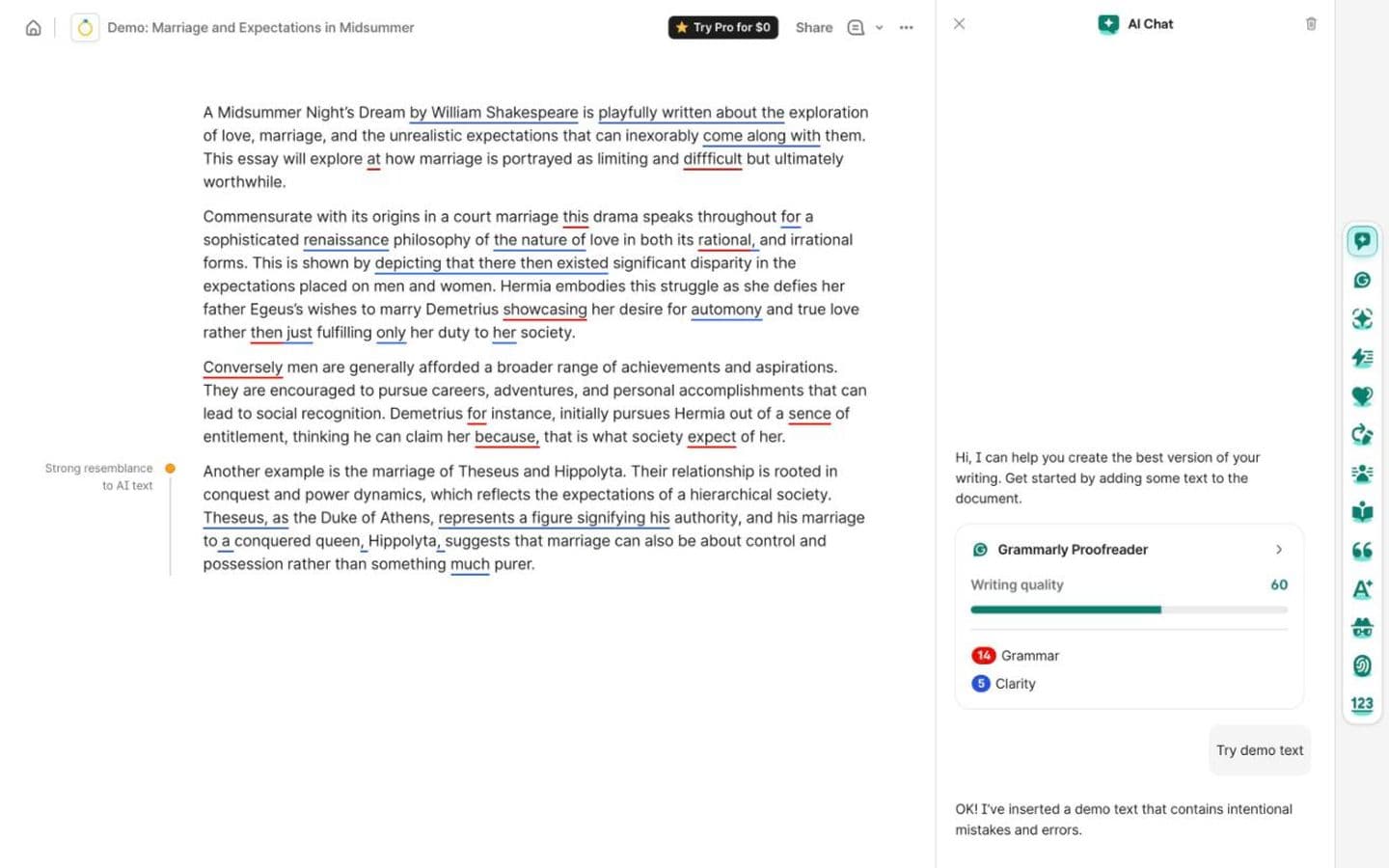
Grammarly doc with Grammarly's built-in demo essay, signed in to a free account. Best for: Students who want free rubric feedback and a predicted grade more than journal-grade polish.
5. Thesify
Thesify reviews the argument rather than the sentences. Its Reviewer gives structured feedback on argument, clarity and methodology, with rubrics for thesis strength, evidence, clarity and fit with the assignment, on documents of up to 100,000 words.
A newer Coauthor workspace adds agents that search, read and draft alongside you, and Thesify says uploads are never shared, sold or used to train AI. Reviewer is paid per review (€14.95 for one, or €24.95 a month for three) with no free trial; Coauthor comes with a 14-day trial.
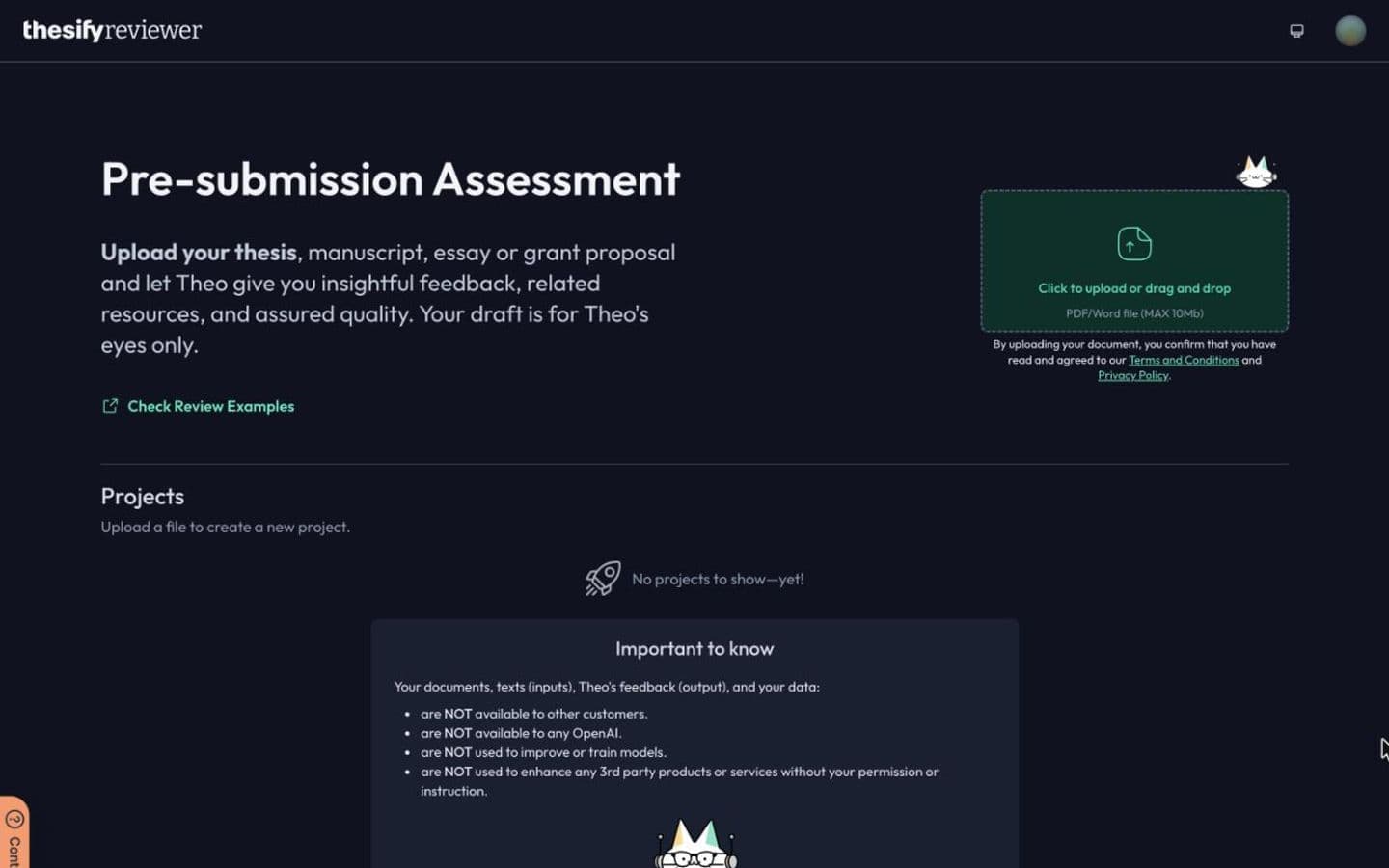
Thesify reviewer, signed in to a free account, before any document is uploaded. Best for: Thesis writers who want an outside read of their argument before polishing the prose.
6. Paperguide
If Research and Cite was the part of Paperpal you used most, look at Paperguide, which is built around research rather than editing. It searches 200M+ papers across PubMed, arXiv, OpenAlex and Semantic Scholar with each claim linked to its sentence, runs systematic reviews with dual independent screening and a PRISMA diagram, and pulls data from many papers into a linked table.
Its AI Writer will generate a citation-grounded draft from a research question, so mind your course rules. Free gives 2,000 AI credits a month; Plus is $12 and Pro $29 a month per seat, both billed annually. Trustpilot reviewers praise the search and extraction, though some found the results unhelpful for university assignments.
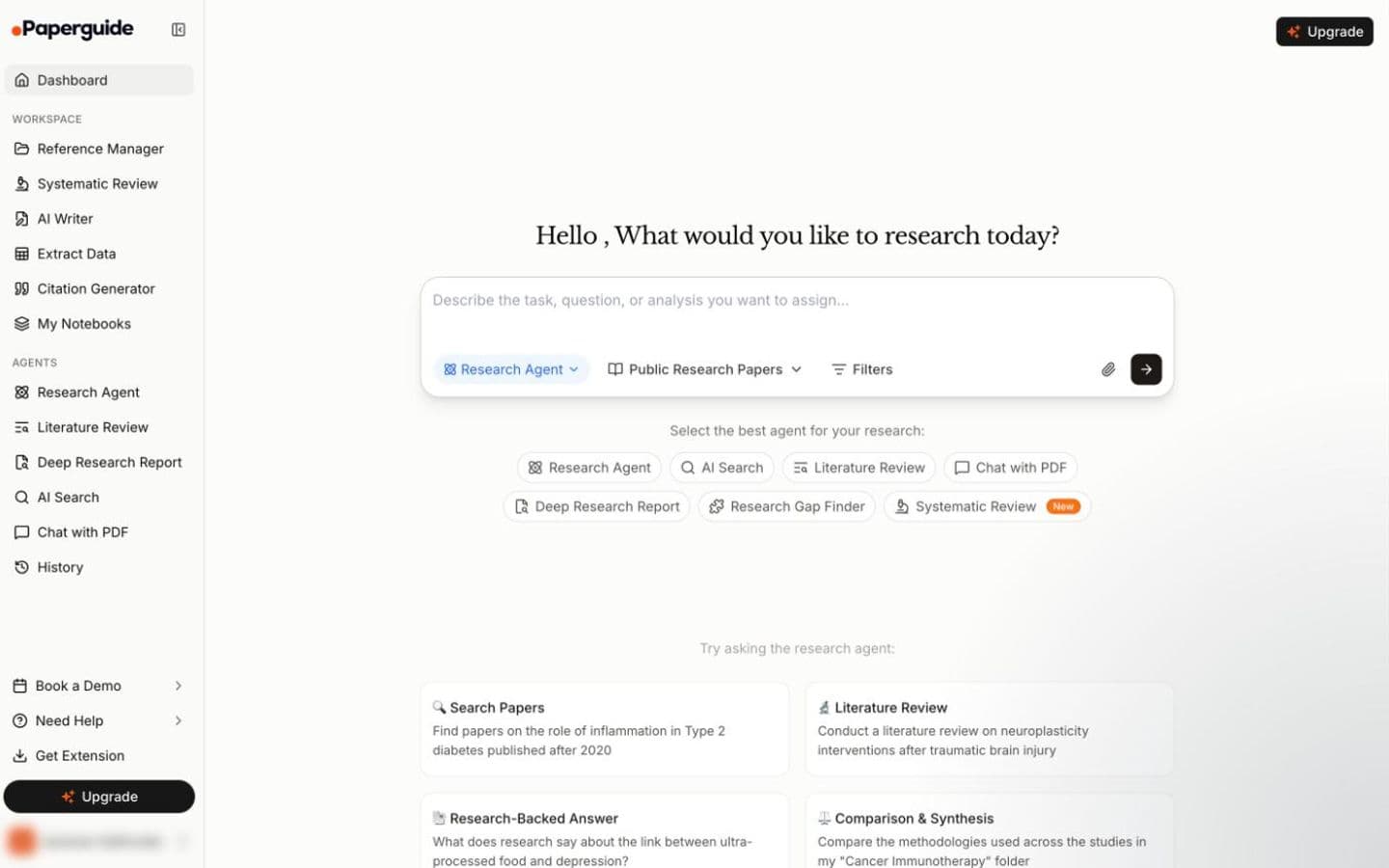
Paperguide dashboard, signed in to a free account (the account name is removed). Best for: Researchers doing a literature or systematic review who want screening and extraction built in.
7. Jenni AI
Jenni AI helps while you write rather than after. It pairs sentence autocomplete with a PDF library, AI chat that answers from that library with citations, and formatting in 10,000+ styles. You can limit autocomplete to papers you chose, and each suggested sentence links to its spot in the source PDF.
That help goes a long way: Jenni is positioned to help create essays, papers and citations, and autocomplete keeps offering sentences to accept, one after another. The free plan gives 10 autocompletes a day; Plus is $12 a month and Pro, with unlimited autocomplete, $29. Billing is the top Trustpilot complaint, with renewals charged without notice.
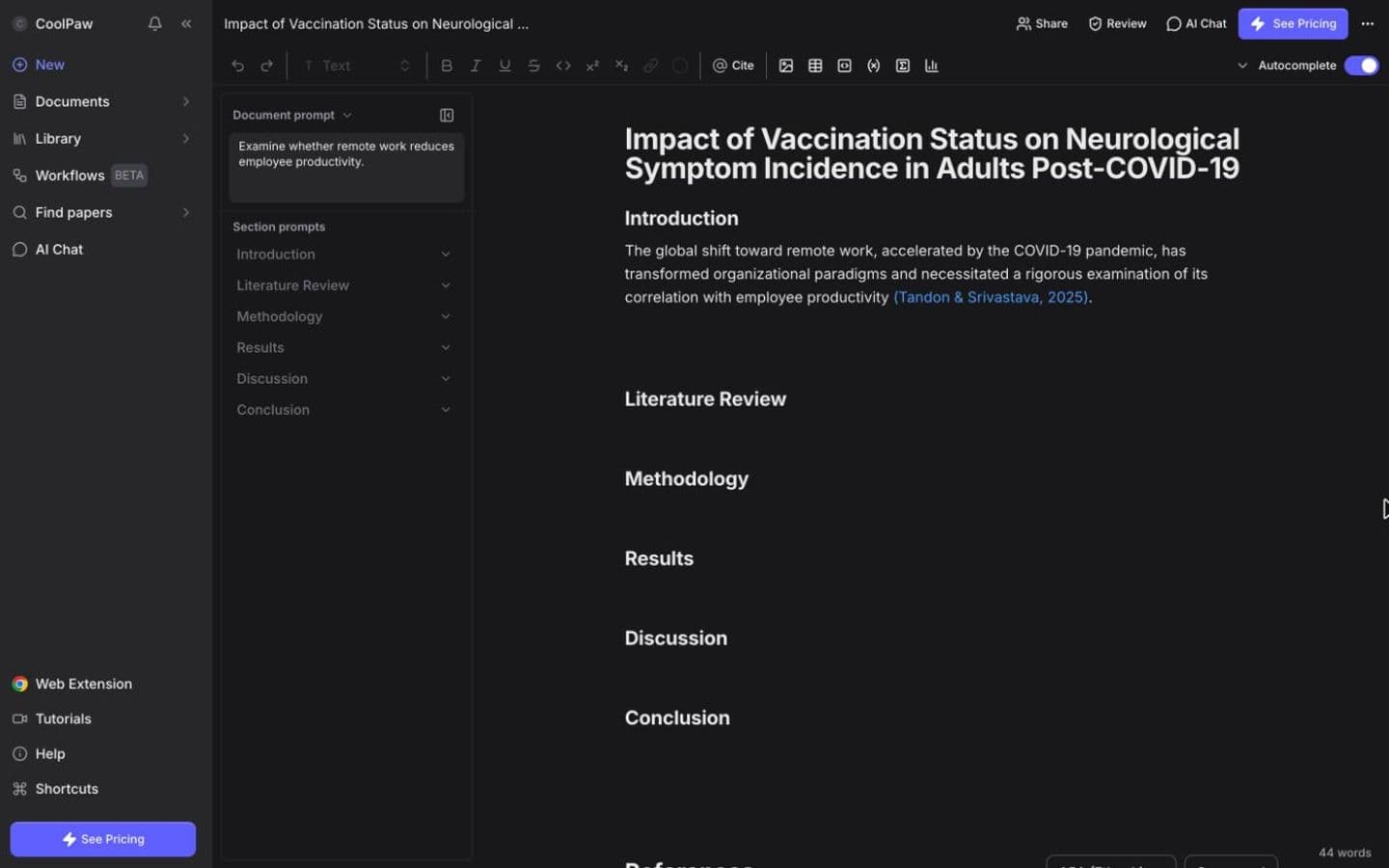
Jenni AI editor, signed in to a free account. Best for: Writers who want help producing a draft from their papers, not just polishing one.
8. Ponder
Ponder suits the reading stage. It searches 320M+ scholarly works next to your own files, lays sources and arguments out on mind maps, and opens the exact source paragraph when you click a citation, flagging any that rest only on an abstract or a link.
Credits run everything: 50 a day free, and Casual at $16 a month or $14 billed yearly. Its Draft stage will also write literature reviews from your sources. Independent reviews are scarce, and a detailed one sponsored by Ponder still flagged fast credit use.
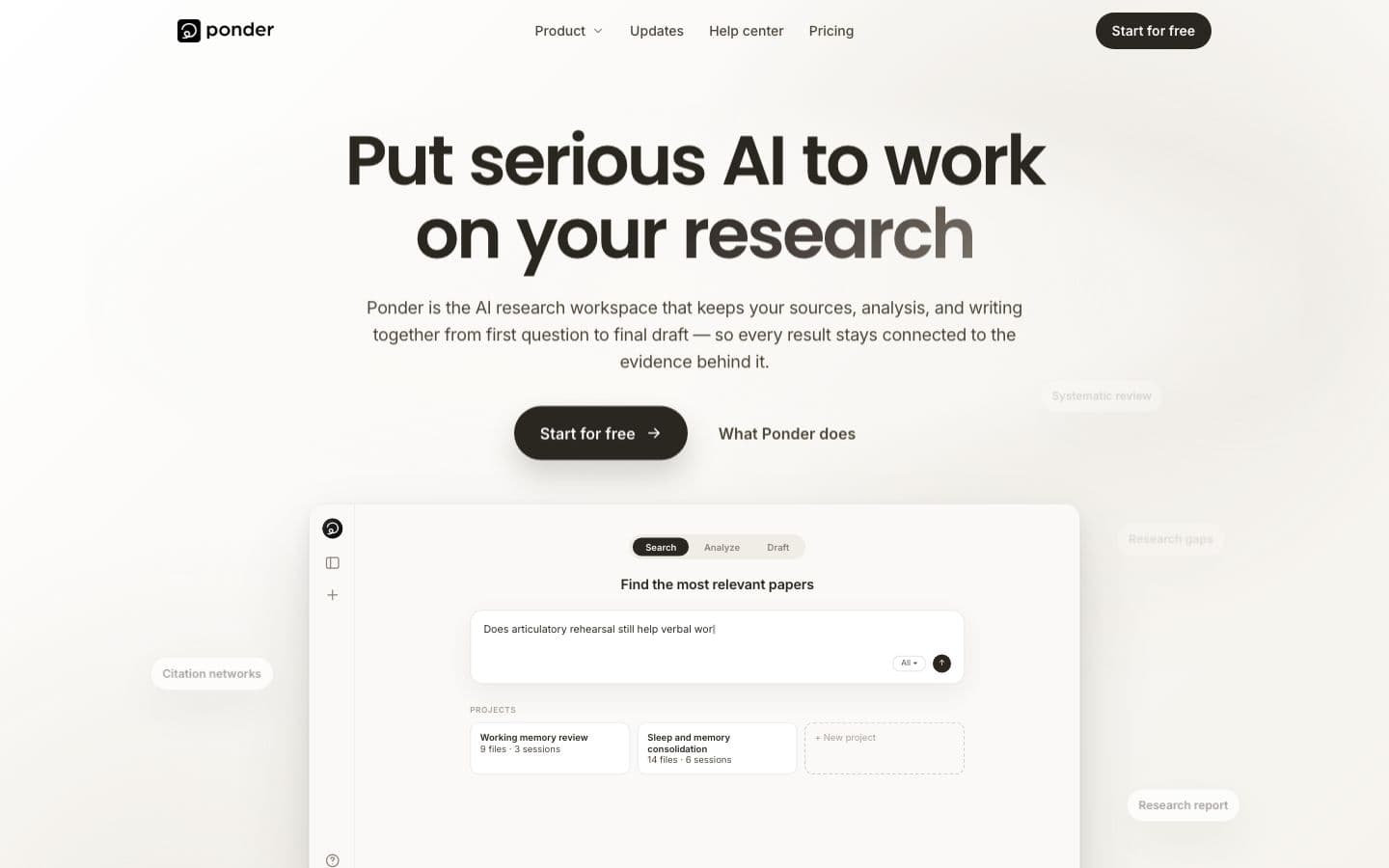
Ponder public homepage, signed out (the workspace needs an account). Best for: Researchers who think visually and want each claim traced to its passage.
At a glance
Every tool above, with Paperpal on the last row for reference. Writing assistants help you write; essay generators write the essay for you.
| Product | Type | Paid from | Free tier | Citations | Ghostwriting |
|---|---|---|---|---|---|
| EthiWrite | Writing assistant | $9 (billed every week) or $10/month ($120 billed annually) | Yes | Only from sources you added | Guides; you write |
| Trinka | Writing assistant | $48/year | Yes | Does not cite | Drafts text when asked |
| Writefull | Writing assistant | US$21/month | Yes | Does not cite | Drafts text when asked |
| Grammarly | Writing assistant | $12/month | Yes | Your sources, or papers it finds for you | Drafts text when asked |
| Thesify | Writing assistant | €7.50/month | No | From its own paper database | Drafts text when asked |
| Paperguide | Writing assistant | $12/month | Yes | Your sources, or papers it finds for you | Drafts text when asked |
| Jenni AI | Writing assistant | $12/month | Yes | Your sources, or papers it finds for you | Drafts text when asked |
| Ponder | Writing assistant | $14/month | Yes | Your sources, or papers it finds for you | Drafts text when asked |
| Paperpal | Writing assistant | See pricing page | Yes | Your sources, or papers it finds for you | Drafts text when asked |
The bottom line
Keep Paperpal if polish inside Word or Overleaf is the job and the price for your region works. For the same kind of editing with a published price, try Trinka; for LaTeX, Writefull. If the real problem sits earlier, in the argument or the sources, a different grammar checker won't help: switch to a tool built for that stage.
FAQ
- How much does Paperpal cost?
- Paperpal doesn't show a number until its pricing page loads one for your region. Prime and Pro are billed monthly or annually, and the free plan includes 200 grammar edits a month.
- Which academic editor costs less than Paperpal?
- Since Paperpal hides its price, compare the editors that publish one. Trinka Premium is $48 a year, Grammarly Pro $144 a year and Writefull Premium US$150 a year, so among those three Trinka is the cheapest on annual billing.
- Is Paperpal good for LaTeX?
- Its Chrome and Edge extensions support Overleaf. If LaTeX is your daily tool, Writefull checks language directly in the LaTeX source, and Trinka also works on LaTeX files.
- Does Paperpal write for you?
- Mostly it edits your text, but its homepage offers to draft “with suggestions grounded in your sources”, and its paraphraser restructures your sentences. Check what your course allows before you use either.
- Which alternative gives feedback on the argument, not the grammar?
- Thesify's Reviewer is built for it, judging a draft on thesis strength and evidence. EthiWrite's Examiner Mode flags unsupported claims and structural gaps without rewriting anything, and Grammarly's AI Grader gives personalized feedback against your rubric.