Compare
Paperpal vs Rytr: is the cheaper tool good enough for your degree?
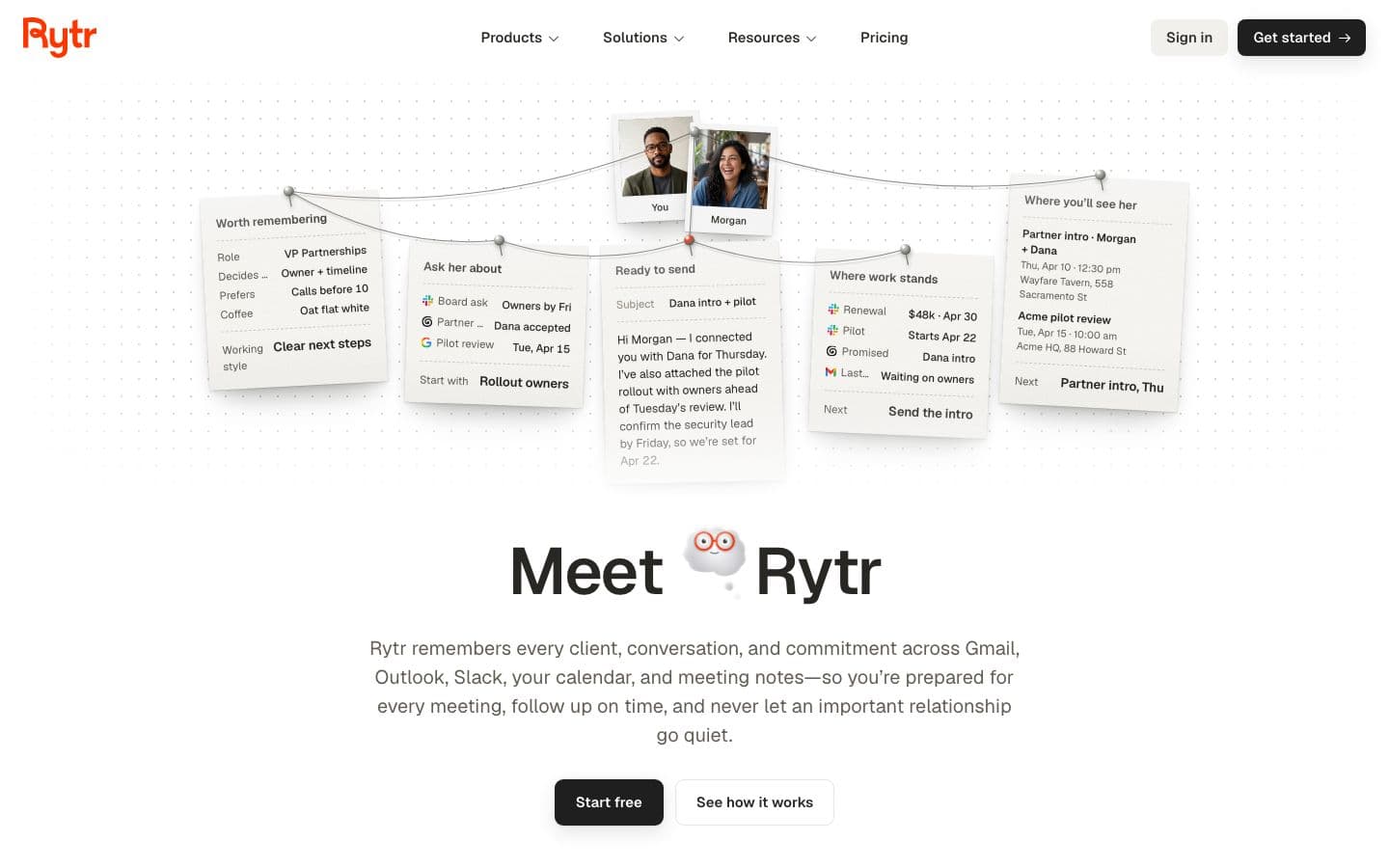
Rytr's selling point is a low, published price. For academic writing, that's about where its advantages end. Its homepage pitches an assistant that “remembers every client, conversation, and commitment”, and none of its writing use cases is about essays. Paperpal is an academic language editor that runs inside Word, Google Docs and Overleaf.
If you're a student with a draft to fix, use Paperpal. If you want help with emails, posts and keeping up with people, Rytr will do that cheaply.
Prices and features checked on October 17, 2026.
At a glance
Writing assistants help you write; essay generators write the essay for you.
| Product | Type | Paid from | Free tier | Citations | Ghostwriting |
|---|---|---|---|---|---|
| Paperpal | Writing assistant | See pricing page | Yes | Your sources, or papers it finds for you | Drafts text when asked |
| Rytr | Essay generator | $9/month | Yes | Does not cite | Drafts text when asked |
Two ways to edit a sentence
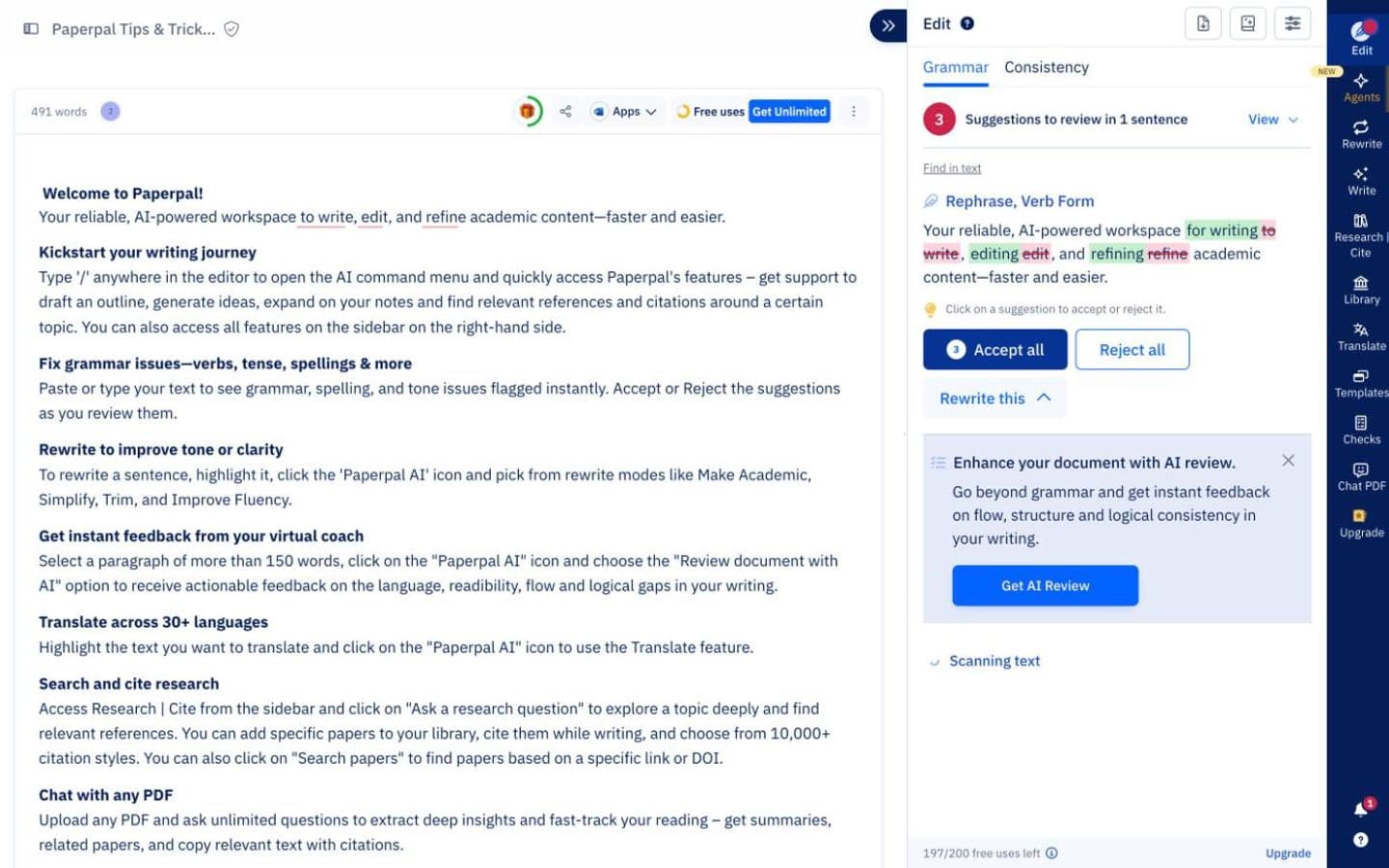
Both tools will work on text you wrote, but they aim at different targets. Paperpal's suggestions on grammar and tone come from training on scholarly edits, and its 30+ pre-submission checks hold your text to journals' language and formatting standards. Its paraphraser restructures your sentences.
Rytr can improve, shorten, expand or continue your text, in your own voice or one of 22 tones, across 38 languages. That's general-purpose rewriting. Some Trustpilot reviewers found its output generic and in need of heavy editing, especially for longer content, which is what an essay is.
A caution on Paperpal too: on r/research, people asked about it doubted that AI editing suits research writing, warning it can blur what you meant. Accept its suggestions one at a time.
Citations and research
Paperpal can go and find sources: Research and Cite covers 250M+ research articles, reads PDFs for insights and formats citations in 10,000+ styles. References and PDFs you upload can be cited too.
Rytr has a feature called “Source-backed Ask Rytr”, but the sources are your connected email, Slack, calendar and notes. It shows the messages and meetings behind each answer, which is handy for a group project's admin. Its site doesn't mention academic citations, references or paper search, and Vantaige, a directory with an affiliate link to Rytr, said of its pre-relaunch version that it “cannot pull current facts, access SERP data, or verify claims”.
Drafting from scratch
Rytr generates text from a rough idea for whatever use case you pick, including long-form blog posts. It has no essay workflow and, on its homepage and pricing page, no stated academic-integrity policy. The same Vantaige review found it “consistently produces surface-level generalizations” on academic topics, though that review predates Rytr's relaunch.
Paperpal is mostly an editor, but its homepage also pitches drafting, with suggestions grounded in your sources. So neither keeps entirely out of the writing. Paperpal at least ties its drafting to sources you supply.
Checks before you hand it in
Paperpal's plagiarism check compares your text against 99B+ sources before your institution's own review, and its Trustpilot reviews, mostly from users Paperpal invited, speak well of the AI-detection checks. Nothing on this page describes a plagiarism or AI check in Rytr.
Paying for it
Rytr's prices are on the page. The free-forever plan gives 10,000 characters a month with no credit card, Lite is $9 a month on monthly billing for unlimited characters, and Pro is $49. Yearly billing saves 20%, though no yearly prices are shown. Its terms say subscriptions “cannot be refunded”, apart from requests it considers case by case, and several Trustpilot reviewers describe refusals.
Paperpal keeps its numbers off the page until it fetches prices for your region. Its two paid plans, Prime and Pro, come with monthly or annual billing. The free plan is small but real: 200 grammar edits each month, five daily uses of the AI writing tools and of research Q&A, chat with up to five files a month, and lite plagiarism and journal-fit reports.
Paying lifts those limits a long way. Prime gives 20k grammar edits a month, 10k words of plagiarism and reference checks, 25k words of AI detection and 500 uses a month of the paraphraser, trim, translate and AI review. Pro removes the cap on grammar edits and AI detection and raises plagiarism and reference checks to 30k words.
Rytr's billing record is worth a look before you subscribe. Reviewers describe being charged on renewal or after cancelling and then refused a refund, and one couldn't delete their account without waiting on support.
Which should you choose?
Choose Paperpal if you're writing anything you'll submit: academic grammar and tone, journal-style checks, plagiarism checks and a citation search, inside the editor you already use. Start with the free plan.
Choose Rytr if you want a low-cost helper for emails, posts and staying on top of conversations, and you'll keep it out of your coursework. The free plan covers light use.
For help building an argument from your own sources, there's EthiWrite, the tool we make. Its Examiner Mode flags unsupported claims and thin evidence without rewriting anything. It formats APA, MLA and Chicago only, a long way short of Paperpal's 10,000+ styles.
FAQ
- Can Rytr write an essay?
- It can generate long-form text, but it has no essay workflow, none of its use cases is about academic writing, and its site doesn't mention academic citations.
- Is Paperpal free?
- There's a free plan with no credit card: 200 grammar edits a month, a lite plagiarism report, an AI-detection preview and five a day of paraphrase and AI review. Paid plans are Prime and Pro.
- How much does Paperpal cost compared with Rytr?
- Rytr Lite is $9 a month on monthly billing. Paperpal's price is set for your region and only shows on its pricing page, so look there.
- Can Rytr's Ask Rytr help with research?
- Only with your own records. It answers from your connected email, Slack, calendar and notes and shows the messages behind each answer; its site doesn't mention paper search or academic citations.
- Does Paperpal work in Google Docs?
- Yes, through its Chrome and Edge extensions, which also support Overleaf. There's a Microsoft Word add-in as well.