Alternatives
The best Jenni AI alternatives for students in 2026
Jenni AI is a capable research-writing tool with three sore spots: a free plan that runs out fast, an autocomplete that will happily write whole passages for you, and a billing record that Trustpilot reviewers complain about more than anything else.
Which replacement makes sense depends on which of those pushed you out. Yomu AI is the nearest thing to Jenni, with a source library, citation search and an AI that writes in the editor, but it writes even more and lists no free plan for its editor. If you'd rather keep the writing to yourself, EthiWrite is our pick (yes, we make it). For feedback on a long draft, try Thesify; for polish inside Word or Overleaf, Paperpal or Writefull.
Prices and features checked on October 17, 2026.
Where Jenni AI falls short
Start with the free plan. You get 10 autocompletes a day, 5 AI chat messages and 3 Reviews: enough to see how the editor works, not enough to write a paper with. Plus is $12 a month and Pro, with unlimited autocomplete, is $29. Jenni advertises an annual discount but doesn't show the annual price.
The bigger issue is how far the autocomplete goes. In GPTZero's review, a 250-word introduction came together mostly from accepted suggestions, and an AI detector flagged all of it as AI-generated. GPTZero sells an AI detector of its own, so weigh that. The same review found Jenni's citations accurate in a short sample, but said the autocomplete text read as AI-written and needed heavy rewriting. If your school treats AI-written text as misconduct, that's the part to think about.
Then there's money and trust. Several Trustpilot reviewers say they were charged on renewal without notice and then refused a refund. And when someone on r/PhD asked about tools like Jenni for citations, commenters advised against AI for references and pointed to a citation manager such as Zotero.
None of that makes Jenni bad. Reviewers like its citation and bibliography tools, it ties each suggested sentence to the spot in the source PDF, it formats in more than 10,000 styles, and you can limit autocomplete to papers you chose. If those are why you signed up, switching may cost you more than it saves.
What to look for in a Jenni AI alternative
Know where the citations come from
Some tools cite only what you've added; others also suggest papers from their own index. Either works if you read what you cite. Jenni does both, and can lock autocomplete to your library.
Check where the tool stops writing
Accepting a sentence and reworking it is one thing. Generating a section from a prompt is another. Your school's AI policy decides which is allowed, so check how far each tool goes before you rely on it. The Ghostwriting column in the table below sums it up.
Get feedback while you can still act on it
A note that a claim lacks evidence is worth more in the last week than a smoother sentence. Thesify, Grammarly and Yomu AI all review drafts, but they differ in what comes next: Grammarly's suggestions include AI rewrites and Yomu's apply straight into your text, while Thesify hands you a report and leaves the changes to you.
Read the price twice
Compare free plans on the feature you'll use most, and check which billing period a headline price assumes. Yomu AI's $10 a month, for example, is the annual rate. Month to month, it's $21.
The best Jenni AI alternatives
1. EthiWrite
Full disclosure: this is our tool.
EthiWrite makes the opposite bet to Jenni on autocomplete. Suggestions come a sentence at a time, capped at about thirty words, as grey text you accept or ignore, and it won't write paragraphs from a prompt. Citations can only come from sources in your Library (uploaded PDFs, papers from the open OpenAlex index, web pages and books), so when nothing you added supports a claim, you get an empty result instead of an invented reference.
Before you submit, Examiner Mode maps your argument and flags unsupported claims, thin evidence and structural gaps without touching your text. There's a free plan, and uploading sources, searching papers, citing and export are never metered. The catch: it formats APA, MLA and Chicago only. If your department wants Harvard or IEEE, that's a real gap.
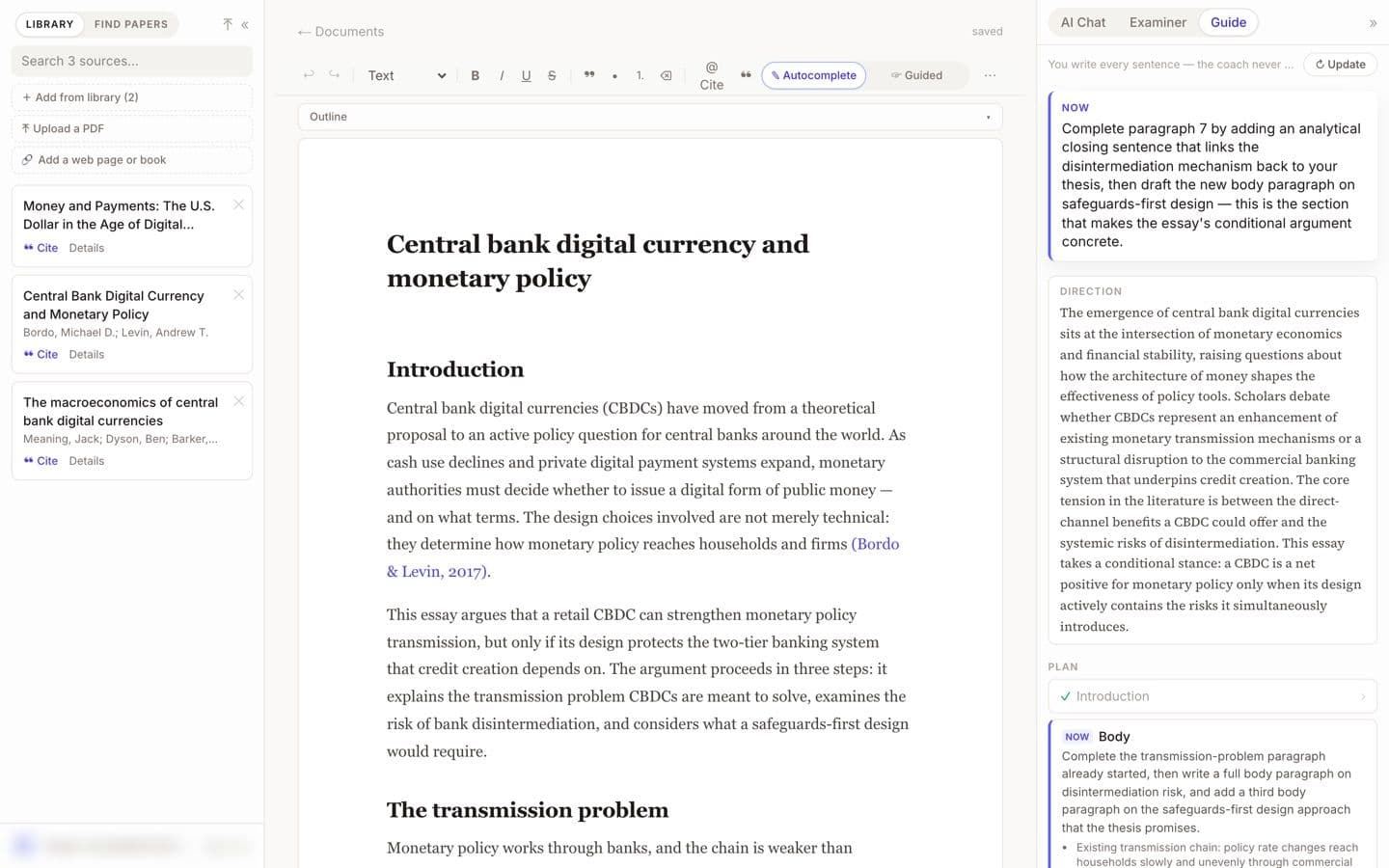
EthiWrite editor with the Guide panel open (demo account, email blurred). Best for: Students who want to write the paper themselves, with citations they can open and check.
2. Yomu AI
If you liked how Jenni works, Yomu AI is the nearest thing to it. You get a source library you reuse across documents, citation search powered by Sourcely with 700+ styles, chat with PDFs, and, since September 2026, a Get Feedback button that reviews your draft and lets you apply the suggestions. Paid plans let you choose models from several AI providers.
It also writes more for you than Jenni does. The new-document flow “writes a full, researched draft” and the Document Assistant helps “write entire sections”. There's no free plan for the editor, though the pricing FAQ says you can start free to try it. Pro is $10 a month billed annually or $21 month to month, capped at 1,000 AI actions; Ultra removes the cap.
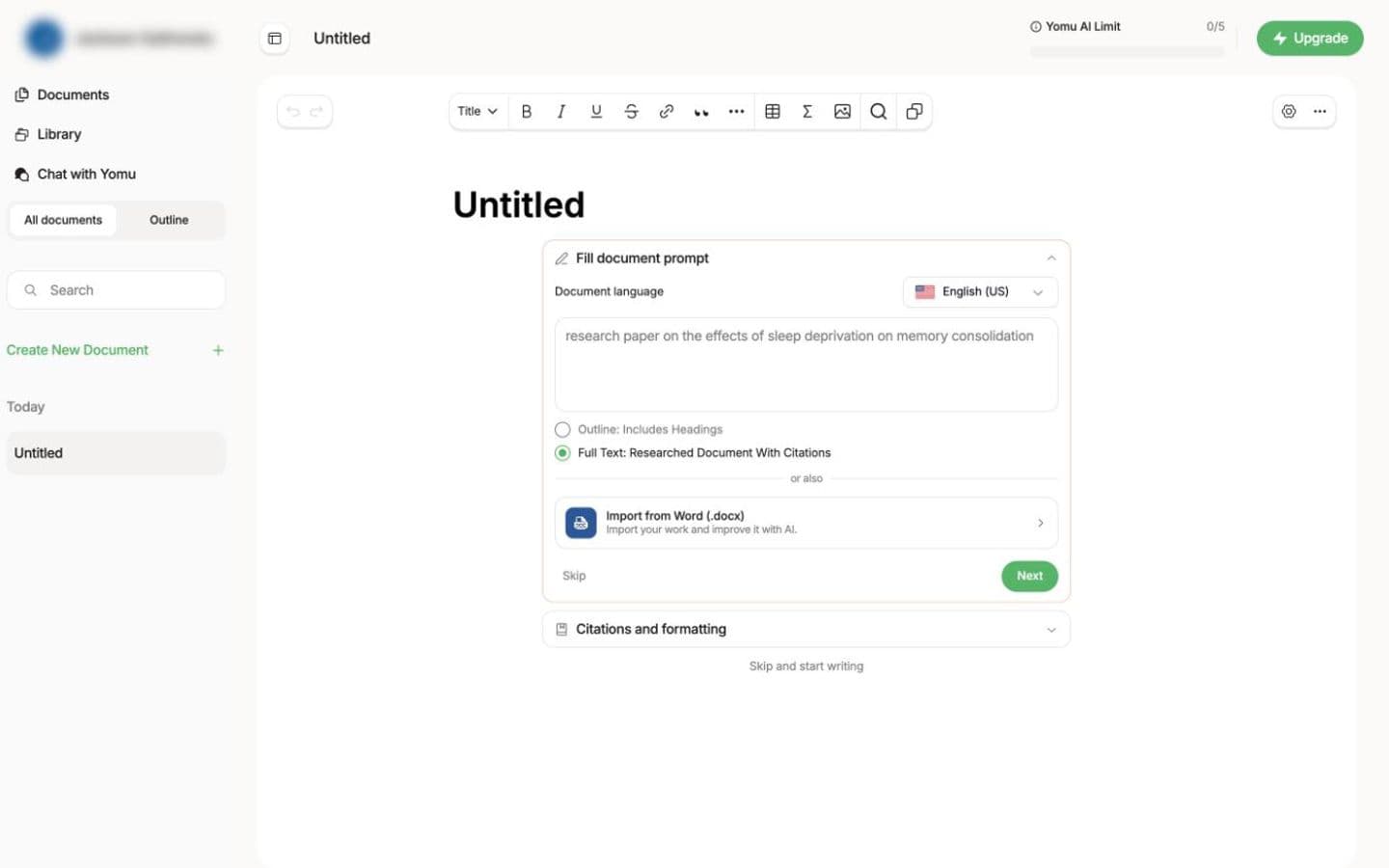
Yomu AI new-document screen, signed in to an unpaid account (its pricing FAQ says you can start for free to try it; the account name is blurred). Best for: Students who want Jenni's workflow with more drafting, and are happy to pay for it.
3. Paperpal
Paperpal is an academic language editor first, and it lives where you already write: a Word add-in, plus Chrome and Edge extensions that work in Google Docs and Overleaf. Its grammar suggestions are trained on scholarly edits, and it runs 30+ pre-submission checks against journals' language and formatting standards. For citations, Research and Cite searches 250M+ articles and formats in 10,000+ styles.
The free plan covers 200 grammar edits a month and five a day each of the AI writing tools and research Q&A. Paid prices only show once the pricing page loads them for your region. And it isn't editing-only: the homepage offers to draft “with suggestions grounded in your sources”.
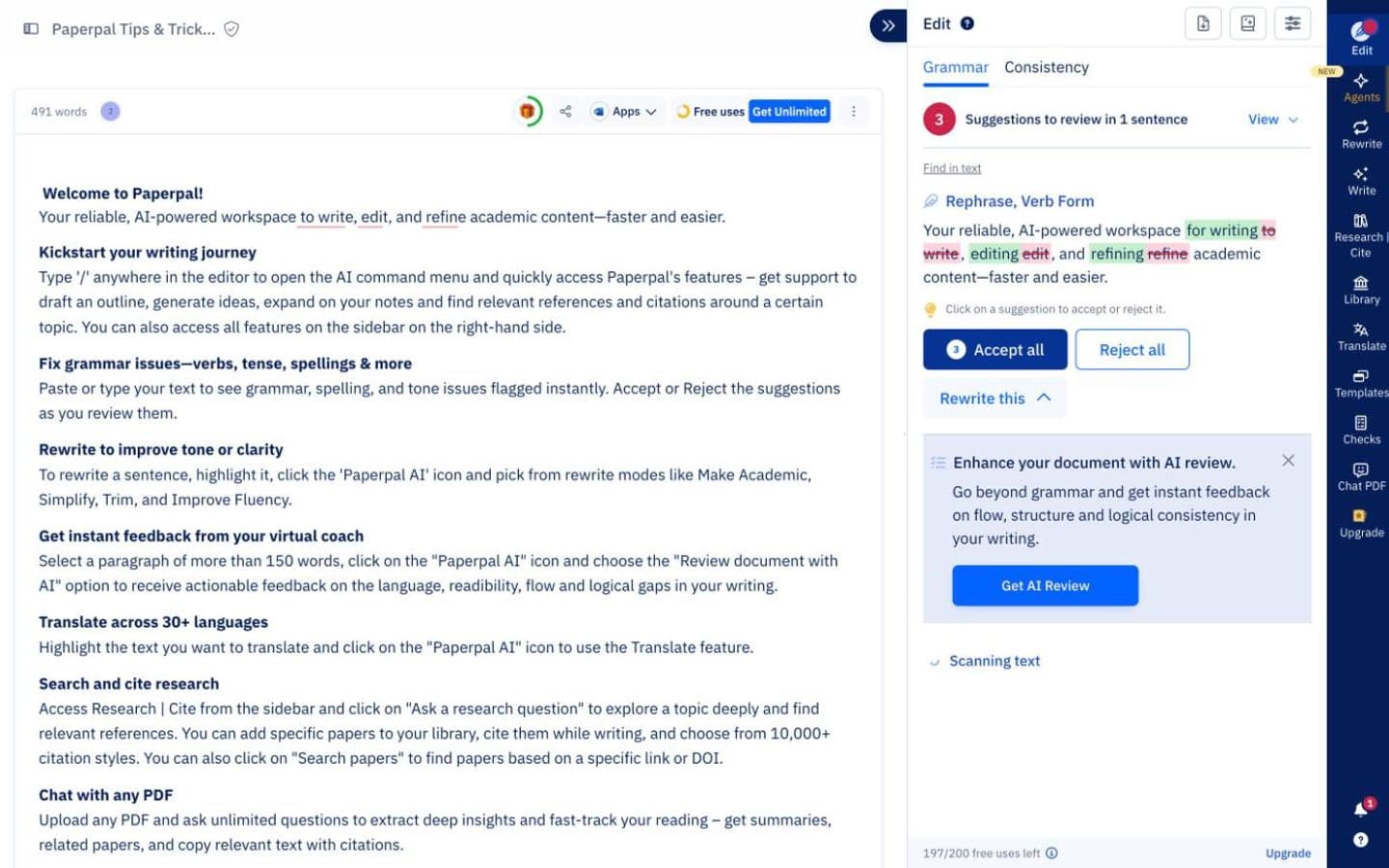
Paperpal editor on its built-in sample document, signed in to a free account. Best for: Students with a draft who want academic polish and a big choice of citation styles inside Word, Google Docs or Overleaf.
4. Grammarly
If you already have Grammarly, look at what it has become. Its docs editor, free to use, includes AI Grader, which estimates your grade from your assignment details and rubric and gives personalized feedback (Grammarly warns the estimate isn't your actual grade). Authorship records how you wrote the draft (typed, pasted or AI-assisted) with a replay and a report you choose whether to share, and it's free too. That gives you something to show if anyone questions how you wrote it.
Citations are the weak spot. Citation Finder suggests web-based sources without naming the databases it searches, and formats in APA, MLA or Chicago only. Free use is metered, mostly by the day, and Pro works out at $144 a year or $30 month to month.
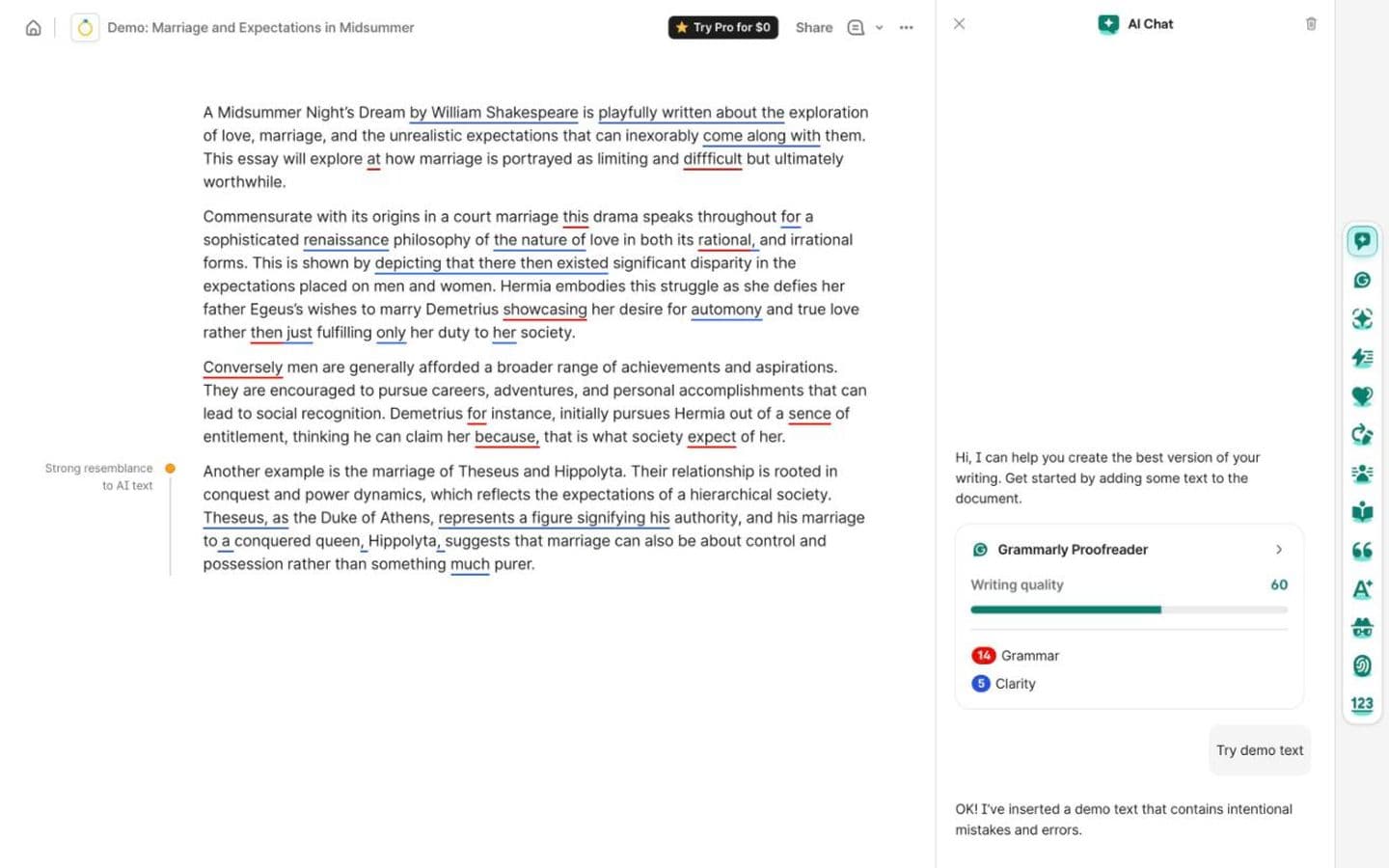
Grammarly doc with Grammarly's built-in demo essay, signed in to a free account. Best for: Students already on Grammarly who want a predicted grade and a record of how they wrote.
5. Thesify
Thesify does one job: telling you what's wrong with a long draft. Its Reviewer gives structured feedback on argument, clarity and methodology, using rubrics for thesis strength, evidence, clarity and fit with the assignment. It takes documents of up to 100,000 words and hands back a downloadable report. Commenters on a popular YouTube walkthrough found the rubric feedback useful on early drafts.
You pay per review: €14.95 for one, or €24.95 a month for three. There's no free plan, and Reviewer has no free trial. A review by a competing service called it a good fit for thesis feedback but not a journal-readiness check, and noted it doesn't verify citations.
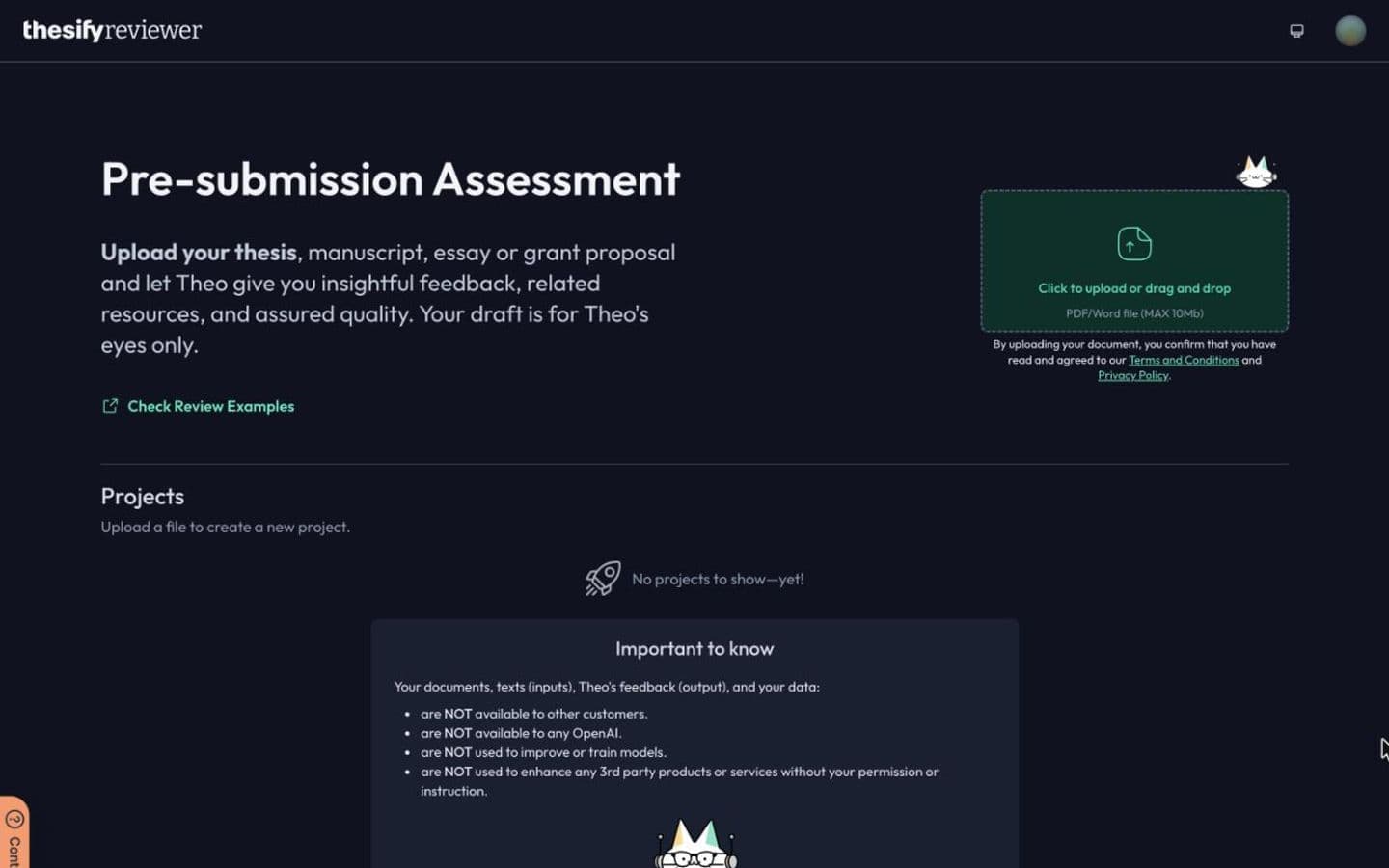
Thesify reviewer, signed in to a free account, before any document is uploaded. Best for: Graduate students who want rubric-based feedback on a thesis before their supervisor reads it.
6. Paperguide
If the paper you're writing is a literature review, Paperguide is built for that kind of work. It searches 200M+ papers across PubMed, arXiv, OpenAlex and Semantic Scholar plus your own library, and every claim links to the exact sentence in the source. Systematic reviews get dual independent screening and a PRISMA diagram, and Extract Data pulls details from many papers into a table where each value links back to its statement.
Free use stops at 2,000 AI credits a month, and Plus runs $12 per seat a month, billed annually. Two cautions. Its AI Writer will generate a citation-grounded draft from a research question, so it writes as much as you let it. And its workflows are aimed at researchers and labs more than coursework essays.
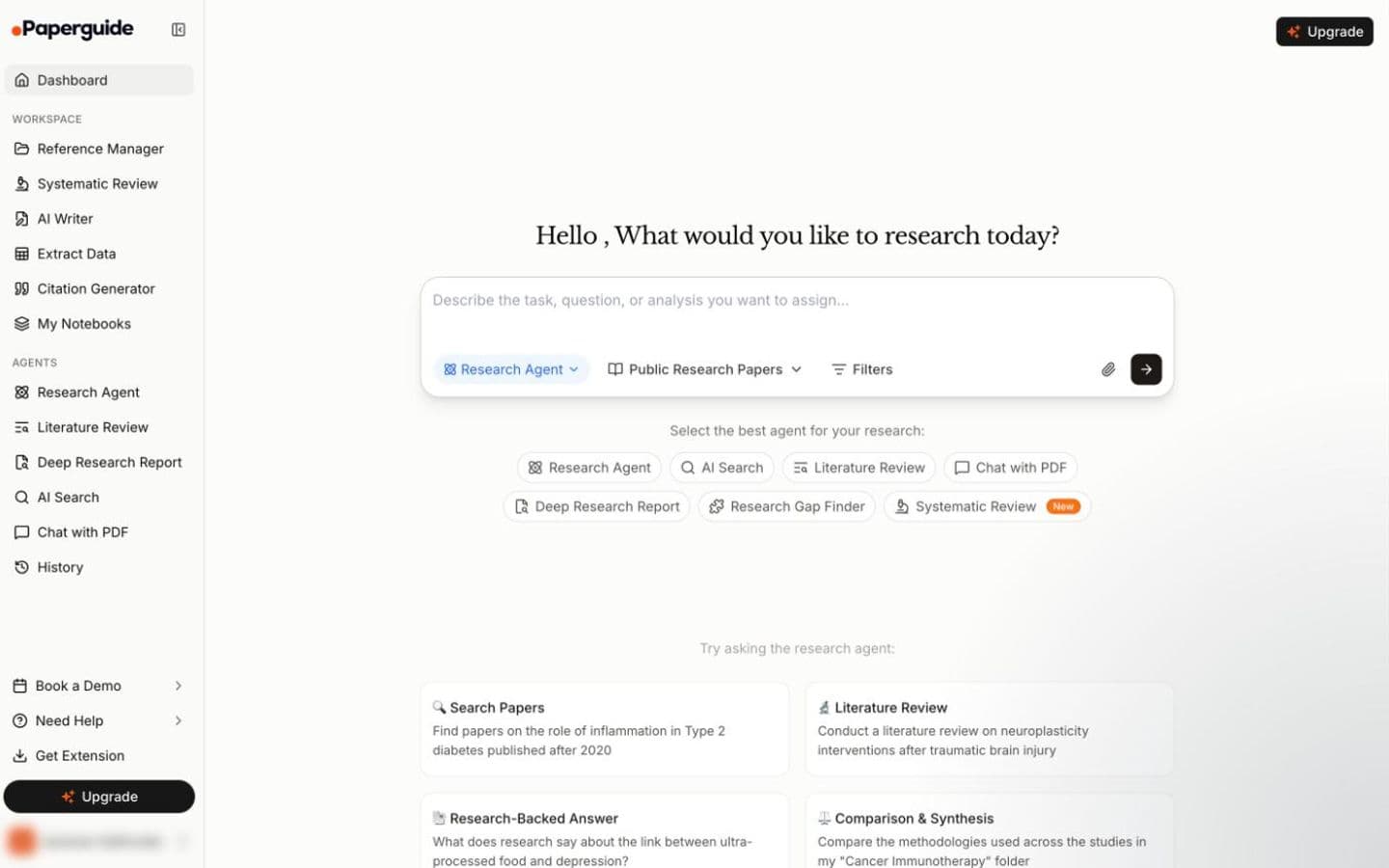
Paperguide dashboard, signed in to a free account (the account name is removed). Best for: Graduate students and research teams working on a literature or systematic review.
7. Ponder
Ponder suits people who think in maps. It searches 320M+ scholarly works alongside your own files, and keeps mind maps, paper lists, documents and slides in one project. Click a citation and the exact source paragraph opens; it also flags citations that rest only on an abstract or a link, and checks for retracted sources before export.
Everything runs on credits: 50 a day free, and Casual is $14 a month billed yearly or $16 month to month. Its Draft stage will write literature reviews and papers from your sources. Independent reviews are thin on the ground, and a detailed one sponsored by Ponder still warned that credits go faster than you'd expect.
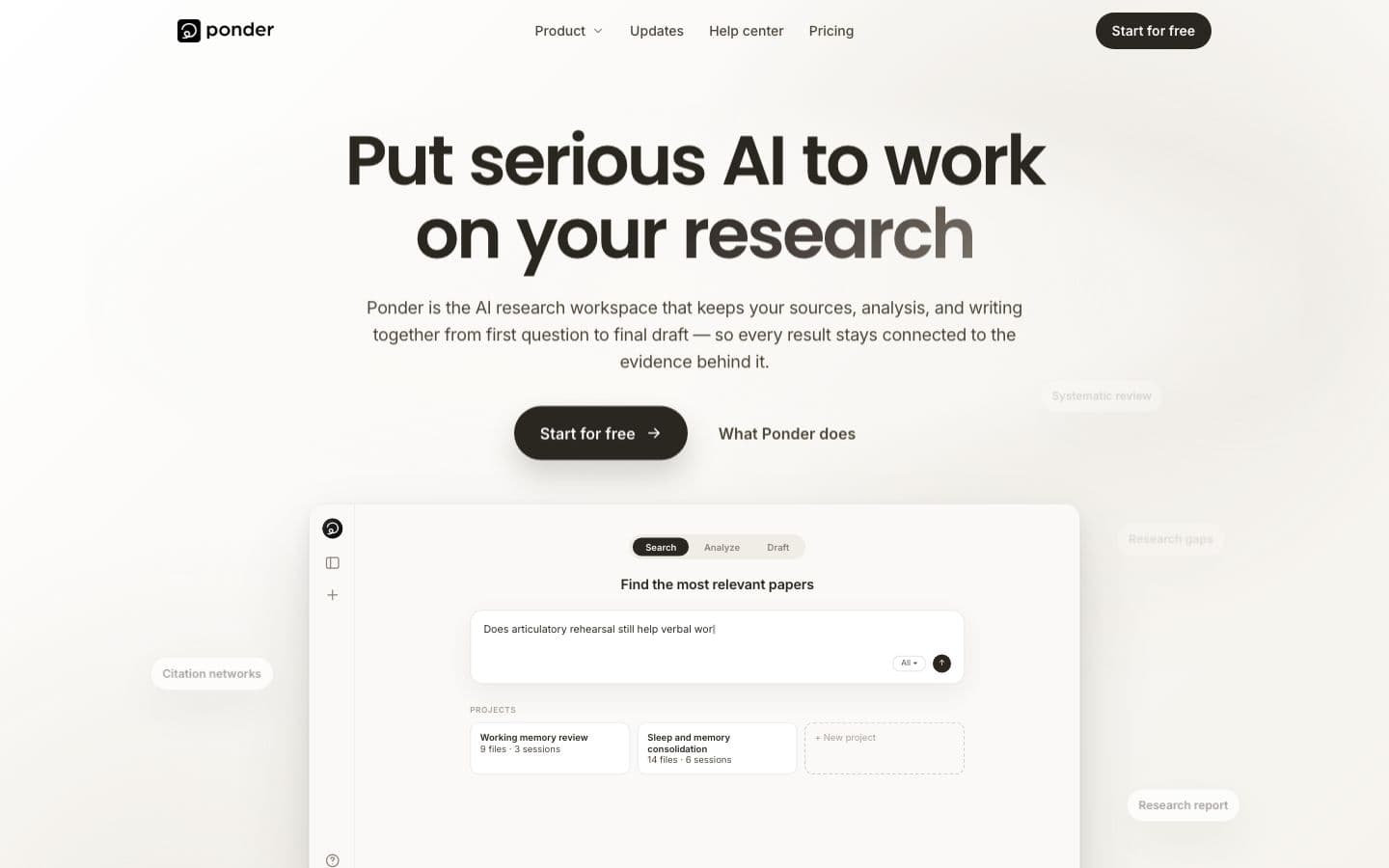
Ponder public homepage, signed out (the workspace needs an account). Best for: Researchers who want to map a literature visually and trace each claim back to its passage.
8. Writefull
Writefull doesn't try to replace Jenni's research side at all. It's a language checker with models trained on published papers, and it works inside Word and Overleaf, where it checks language directly in LaTeX source. LaTeX users on r/academia value exactly that. Others in the same thread found it correcting mathematics as if it were prose, or twisting their meaning.
It doesn't find, manage or format sources. Premium is US$21 a month or US$150 a year, and the free plan is a limited quota of each feature. It does write, though: there's an Abstract Generator, and the site now promotes a separate Papers AI product for drafting a whole manuscript.
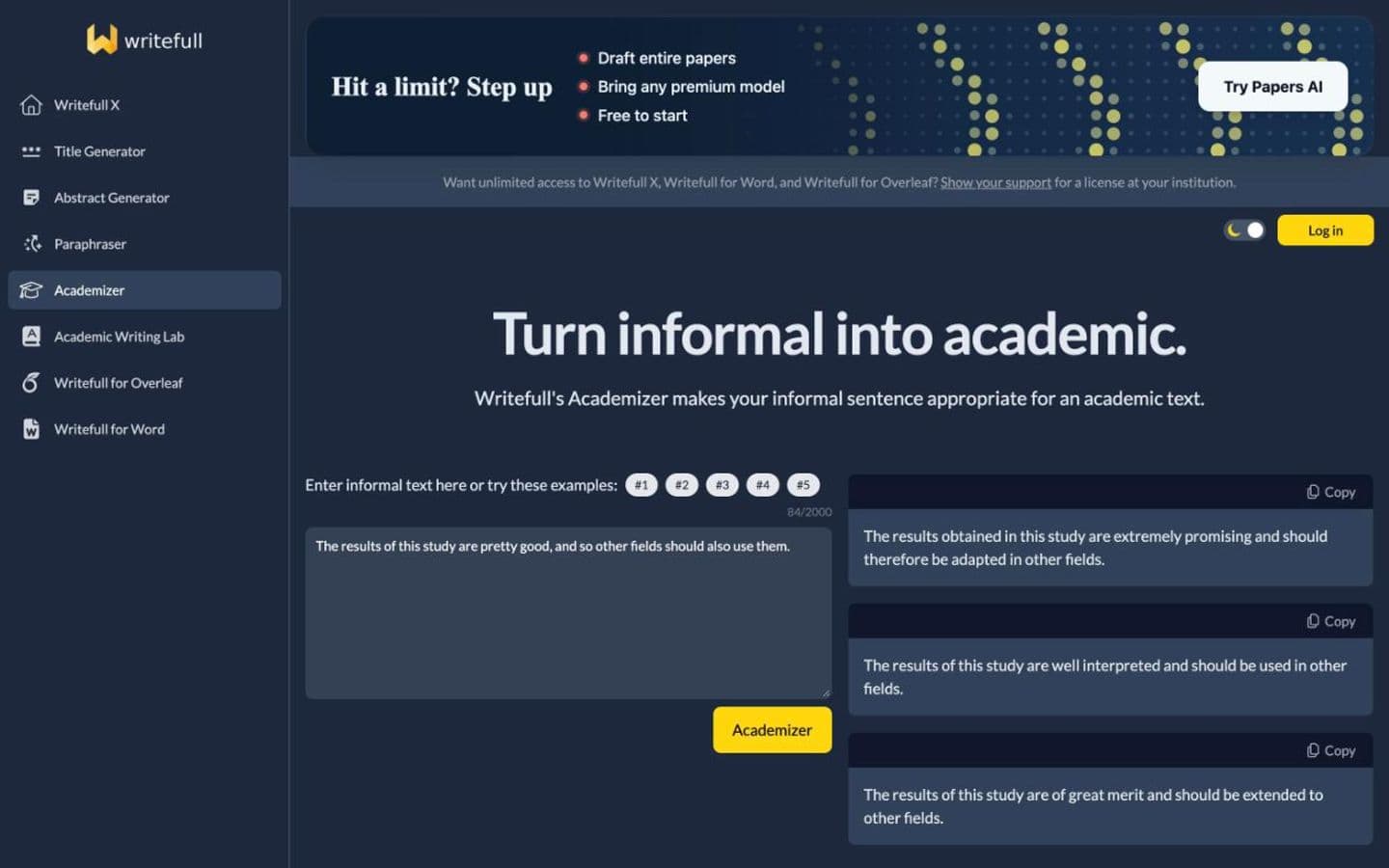
Writefull Academizer run on its own example sentence, signed out (the Word and Overleaf tools need an account). Best for: Researchers writing in LaTeX who want academic-style edits on text they wrote.
At a glance
Every tool above, with Jenni AI on the last row for reference. Writing assistants help you write; essay generators write the essay for you.
| Product | Type | Paid from | Free tier | Citations | Ghostwriting |
|---|---|---|---|---|---|
| EthiWrite | Writing assistant | $9 (billed every week) or $10/month ($120 billed annually) | Yes | Only from sources you added | Guides; you write |
| Yomu AI | Writing assistant | $10/month | No | Your sources, or papers it finds for you | Writes the essay |
| Paperpal | Writing assistant | See pricing page | Yes | Your sources, or papers it finds for you | Drafts text when asked |
| Grammarly | Writing assistant | $12/month | Yes | Your sources, or papers it finds for you | Drafts text when asked |
| Thesify | Writing assistant | €7.50/month | No | From its own paper database | Drafts text when asked |
| Paperguide | Writing assistant | $12/month | Yes | Your sources, or papers it finds for you | Drafts text when asked |
| Ponder | Writing assistant | $14/month | Yes | Your sources, or papers it finds for you | Drafts text when asked |
| Writefull | Writing assistant | US$21/month | Yes | Does not cite | Drafts text when asked |
| Jenni AI | Writing assistant | $12/month | Yes | Your sources, or papers it finds for you | Drafts text when asked |
The bottom line
If you like how Jenni works and want more of it, Yomu AI is the natural next step, provided you're comfortable with a tool that writes whole drafts. If you mostly want polish and citations inside Word or Google Docs, try Paperpal. And if the autocomplete was writing too much for you, pick a tool that stops earlier and make sure every citation leads to a passage you've read.
FAQ
- Is there a free alternative to Jenni AI?
- Several. Grammarly, Paperpal, Paperguide, Ponder and Writefull all have free plans, metered in different ways: Paperguide gives 2,000 AI credits a month, Ponder 50 credits a day, Paperpal 200 grammar edits a month. EthiWrite has one too. Yomu AI lists no free plan for its editor, and Thesify has none.
- Which alternative works most like Jenni AI?
- Yomu AI. It pairs a reusable source library with citation search and an editor where the AI writes alongside you. The difference is how far it goes: Yomu will write a full, researched draft on request, and there's no free plan for its editor.
- Is Jenni AI worth paying for?
- It can be, if you rely on its citation tools: reviewers praise them, and it formats in 10,000+ styles. Plus is $12 a month and Pro $29. Read the renewal terms first: several Trustpilot reviewers say they were charged on renewal without notice and refused a refund.
- Can I trust Jenni AI's citations?
- Check them, as you would with any tool. GPTZero, which sells an AI detector, found them accurate in a short sample, and Jenni links each suggested sentence to its place in the source PDF so you can see where it came from. On r/PhD, though, the advice was to keep AI away from references and use a citation manager like Zotero.