Compare
Grammarly vs Rytr: the student's choice after Rytr's relaunch
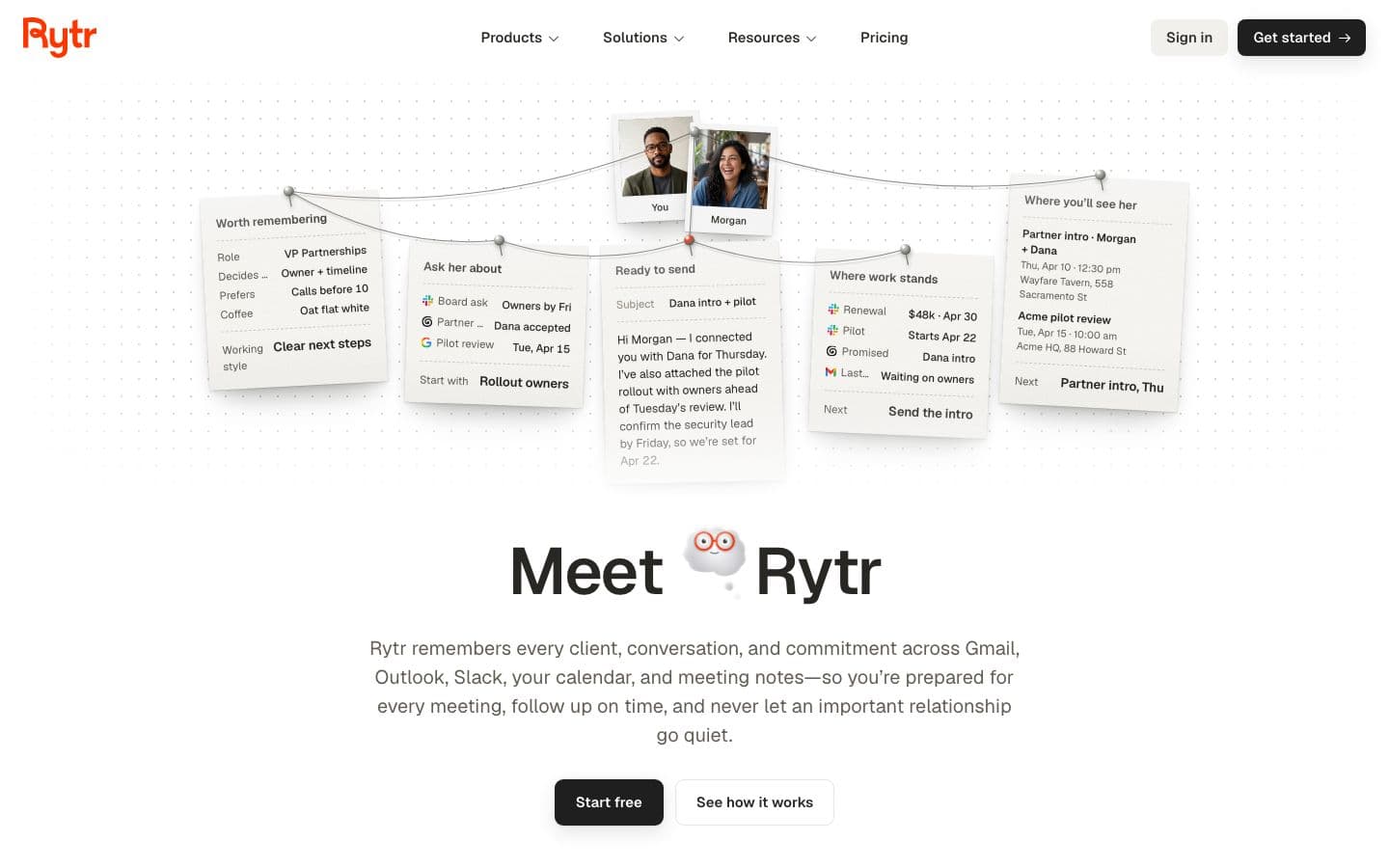
Grammarly, for anything you'll hand in. Rytr's relaunch made it an assistant that “remembers every client, conversation, and commitment”, and none of its 40+ writing use cases is about essays. Grammarly has agents that read a draft the way a marker or a reader would.
Rytr's cheapest plans win on price, though. Its free-forever plan needs no credit card, and Lite is $9 a month on monthly billing, against $30 for Grammarly Pro month to month.
Prices and features checked on October 17, 2026.
At a glance
Writing assistants help you write; essay generators write the essay for you.
| Product | Type | Paid from | Free tier | Citations | Ghostwriting |
|---|---|---|---|---|---|
| Grammarly | Writing assistant | $12/month | Yes | Your sources, or papers it finds for you | Drafts text when asked |
| Rytr | Essay generator | $9/month | Yes | Does not cite | Drafts text when asked |
What Rytr is for now
Rytr's homepage is about relationships: clients, conversations, commitments, with a daily briefing even on the free plan. It still writes, with 40+ use cases from emails and blog posts to ads and product pages, in your own voice or one of 22 tones, across 38 languages.
Trustpilot reviewers like how easy it is and how fast it drafts emails and social posts. Others say the output comes out generic and needs heavy editing, longer pieces especially.
Working on sentences you wrote
Rytr can improve, shorten, expand or continue text you wrote. That's handy for an email to a tutor, but its claims don't describe any feedback on whether an essay's argument holds.
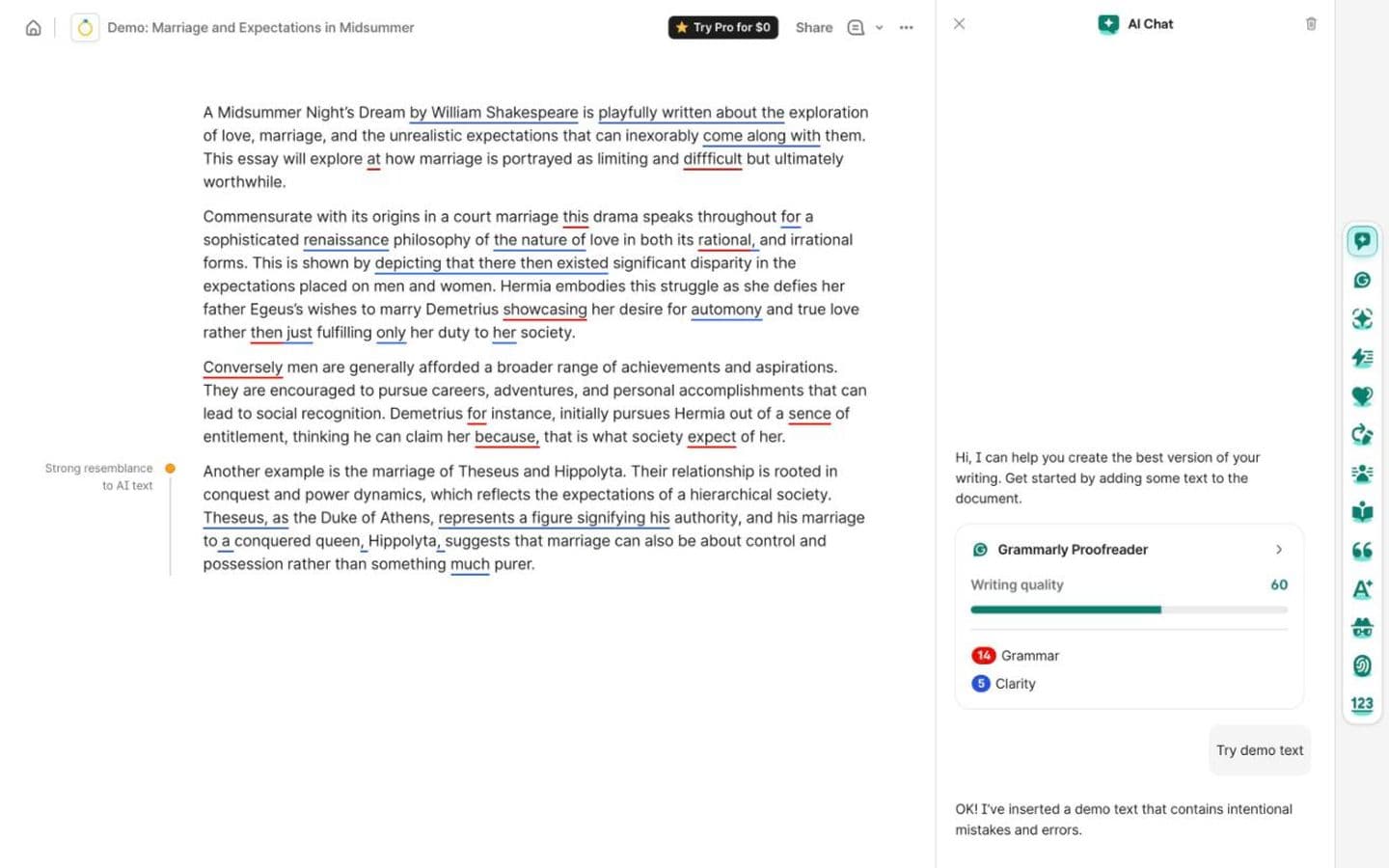
Grammarly's agents give feedback on the draft itself. AI Grader estimates your grade from the assignment details and rubric and gives personalized feedback, with Grammarly's caveat that the number is an estimate, not your grade. Reader Reactions tells you what readers are likely to take away, and where they could get lost. Free use is rationed to three pieces of AI Grader feedback once a day and five reactions a day, and long-time users complain that the AI prompts and upgrade pop-ups get in the way.
Sources: an inbox or the web
Rytr's “Source-backed Ask Rytr” answers questions from your connected email, Slack, calendar and notes, and shows the messages and meetings behind each answer. Those are your sources, not research ones: its site doesn't mention academic citations, references or paper search.
Grammarly's Citation Finder flags claims that need support and suggests web-based sources it finds, then formats and inserts the citation. It formats in APA, MLA or Chicago only and doesn't name the databases it searches, so read every source it offers. The free plan caps it at five a day.
How much of the writing they'll do
Rytr generates text from a rough idea for whatever use case you pick, long-form blog posts included. It has no essay-specific workflow and no stated academic-integrity policy on its homepage or pricing page.
Grammarly drafts as well: its agents “can draft new text directly into the editor”. The bigger worry for a student is AI Grader's AI-generated rewrites, which Grammarly warns could get your work flagged for AI use. Students on Reddit describe high detector scores on work they wrote and only edited with Grammarly. If that worries you, Authorship records whether each part was typed, pasted or AI-assisted, and the report is yours to share or keep.
Monthly prices and refunds
Rytr's free plan is “Free forever”: 10,000 characters a month, one connected source, 40+ writing use cases and 30+ languages. On monthly billing, Lite is $9 with unlimited characters, Personal $19 and Pro $49, the higher tiers adding relationship features. Yearly billing “saves 20%”, but the page shows no yearly prices.
Grammarly's free plan includes docs, Authorship and most agents within daily limits and 100 AI prompts a month, but no plagiarism or AI-text detection. Pro adds both and 2,000 prompts a month for $144 a year or $30 month to month, with a free trial.
Check the refund terms before you pay either. Rytr's terms say subscriptions “cannot be refunded”, apart from requests it considers case by case, and several Trustpilot reviewers describe being refused refunds. Grammarly's reviewers are split between refused refunds and quick ones.
Which should you choose?
Choose Grammarly if you're writing essays and want feedback before you submit: a predicted grade, reader reactions, citation suggestions and a record of how you wrote, free within daily limits or $30 a month for Pro.
Choose Rytr if your writing is everyday (emails, posts, keeping on top of clients) and you want it cheap: a free-forever plan, or $9 a month for Lite. Keep it away from your bibliography.
An essay needs real sources behind it, which is where EthiWrite, the tool we make, comes in. Citations come only from the papers and books in your Library, and Examiner Mode points out where the evidence runs thin. It won't write paragraphs from a prompt, so it's no use if you want Rytr-style drafts on demand.
FAQ
- Is Rytr good for essays?
- It isn't built for them. None of its writing use cases is about essays or academic writing, and its site doesn't mention academic citations, references or paper search.
- Which costs less, Grammarly or Rytr?
- Month to month, Rytr's Lite ($9) and Personal ($19) plans cost less than Grammarly Pro ($30), and Rytr Pro ($49) costs more. For a year, Grammarly Pro is $144; Rytr says yearly billing saves 20% but shows no yearly prices.
- Was Rytr a different product before?
- Yes. A review on Vantaige, an AI tools directory whose link to Rytr is an affiliate link, was last updated in May 2026 and describes Rytr before its relaunch, when it sold Unlimited and Premium plans. It said that version “cannot pull current facts, access SERP data, or verify claims”.
- Which is better for an email to my professor?
- Either will do. Rytr lists emails among its 40+ use cases and writes in your own voice. Grammarly's agents can draft into the editor, and Reader Reactions shows how a reader is likely to take what you wrote.