Compare
Rytr vs Trinka: which one belongs on a student's laptop?
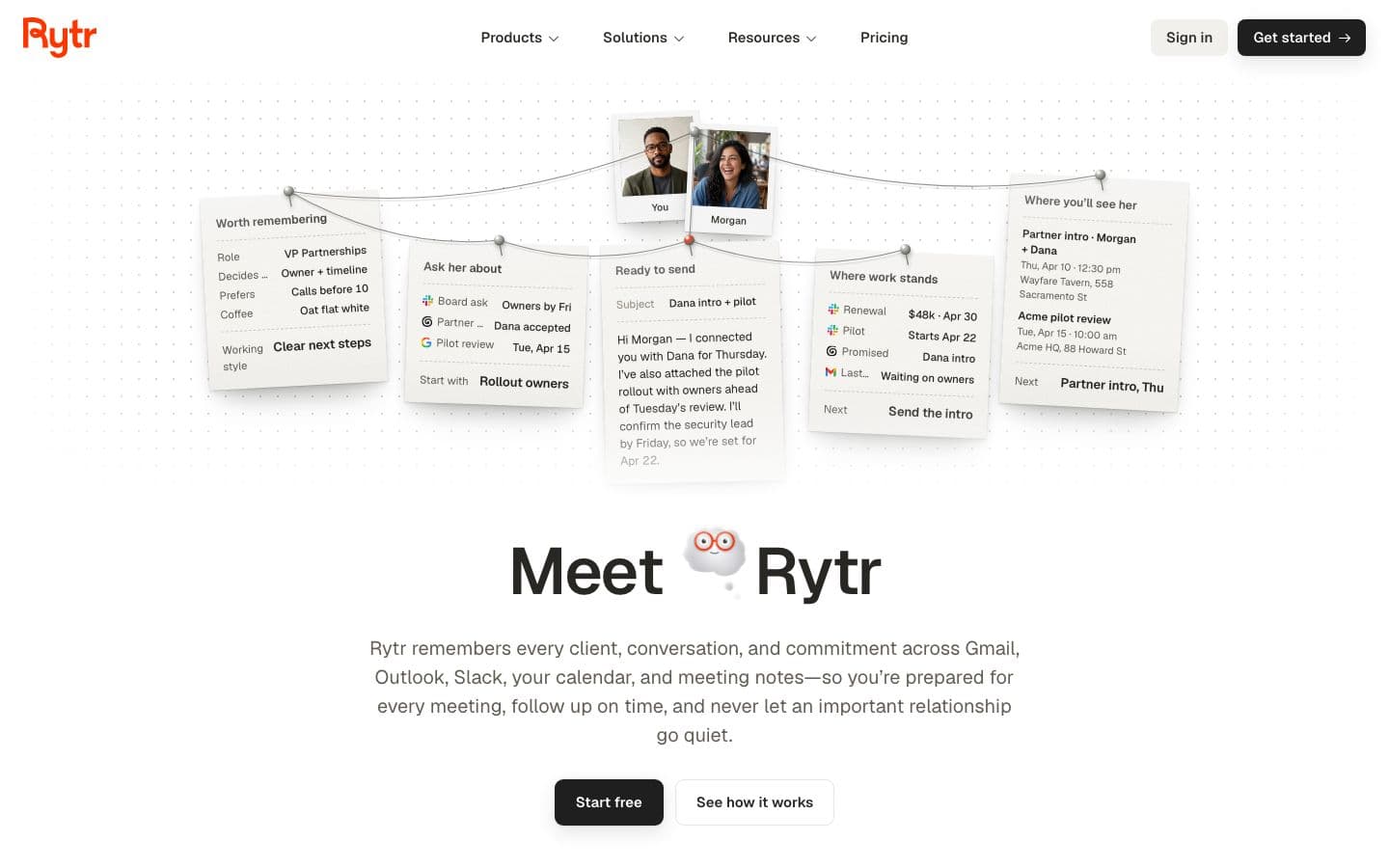
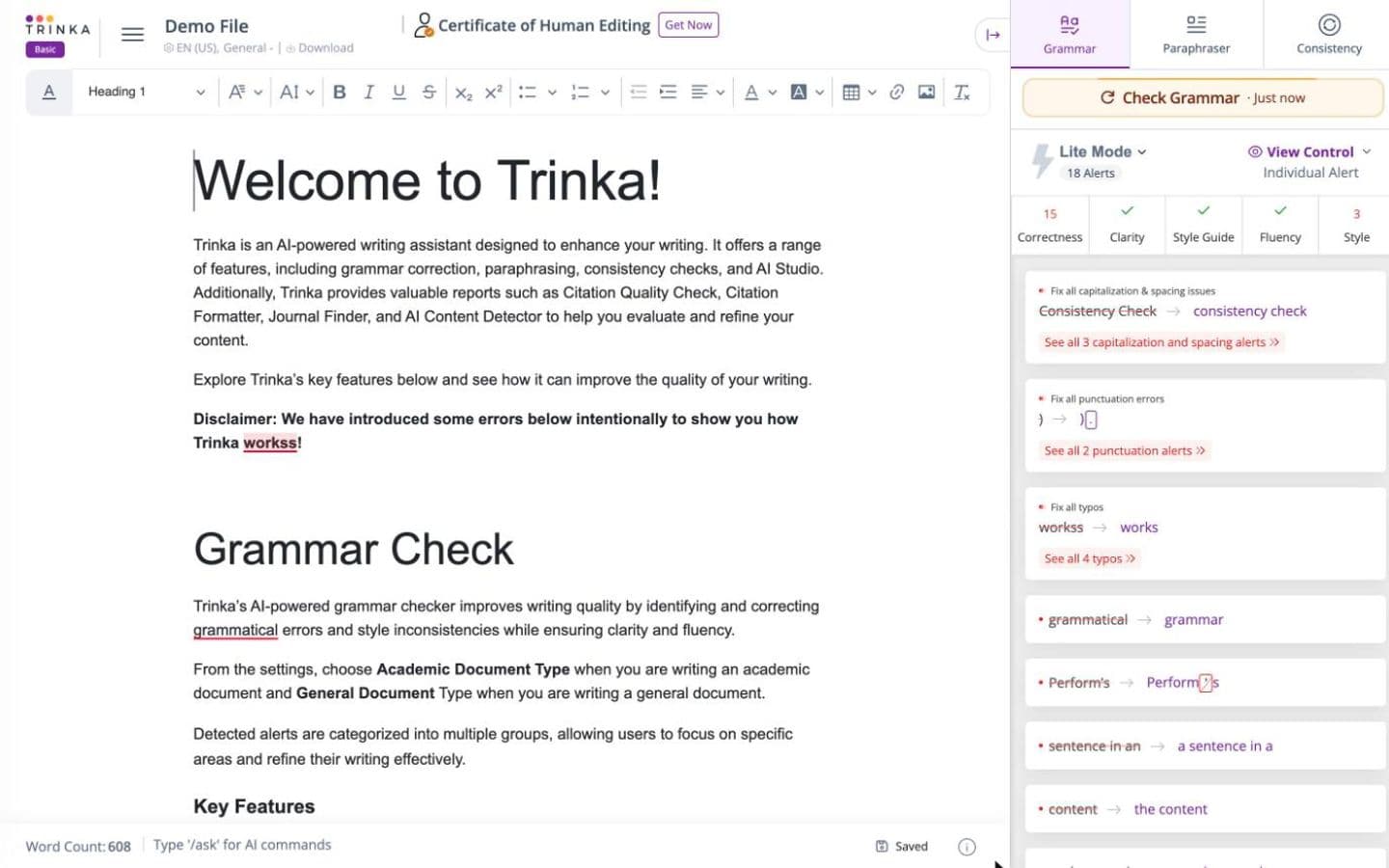
Trinka, for almost any student. Since its relaunch Rytr sells itself as an assistant that “remembers every client, conversation, and commitment”, and none of its writing use cases is about essays or academic writing. Trinka checks grammar, punctuation and academic style, and it checks your references too.
That makes this less a head-to-head than a sorting exercise. Rytr earns a place if your week is mostly emails, posts and follow-ups. If it's mostly papers, Trinka is the one built for the job, though its free plan is tight and it won't find a single source for you.
Prices and features checked on October 17, 2026.
At a glance
Writing assistants help you write; essay generators write the essay for you.
| Product | Type | Paid from | Free tier | Citations | Ghostwriting |
|---|---|---|---|---|---|
| Rytr | Essay generator | $9/month | Yes | Does not cite | Drafts text when asked |
| Trinka | Writing assistant | $48/year | Yes | Does not cite | Drafts text when asked |
Two tools aimed at different desks
Rytr is a general writer with a relationship manager bolted to the front. It covers 40+ use cases, from emails and blog posts to ads and product pages, in 22 tones and 38 languages, and it can improve, shorten, expand or continue text you wrote. Its paid tiers above Lite are priced around relationships: Personal adds 250 active relationships and two connected sources, Pro raises that to 1,000 and adds morning and evening briefings.
Trinka sits where academic writing happens. It runs in Microsoft Word, in the browser, as a Windows app and on LaTeX files, and paid plans add style-guide corrections for APA, AMA, ACS, AGU and IEEE. If your lab handles unpublished data, there's a Confidential Data plan that promises no data storage and no AI training on your text.
References: one checks them, the other has none to check
Trinka's Citation Checker takes the references you already have, validates them against Crossref and flags retracted, hallucinated and predatory sources. There's a Citation Formatter as well. What it won't do is supply sources: it works on your list, so the reading and choosing stay with you.
Rytr does have a feature with source in its name, and it's easy to misread. Source-backed Ask Rytr answers questions from your connected email, Slack, calendar and notes, and shows the messages and meetings behind each answer. Useful for a freelancer; no help with a bibliography. Its site doesn't mention academic citations, references or paper search at all.
Who ends up writing the words
Rytr generates text from a rough idea for whichever use case you pick, long-form blog posts included. There's no essay workflow, and its homepage and pricing page state no academic-integrity policy. Vantaige, an AI tools directory with an affiliate link to Rytr, wrote before the relaunch that it “cannot pull current facts, access SERP data, or verify claims” and called its academic output surface-level.
Trinka mostly corrects and paraphrases what you've written, but it does offer “Write & Rewrite with AI”, capped by plan: 5 requests a month free, 25 on Premium, 1,000 on Premium Plus. That's a drafting tool on the side of an editor, so check your course's AI rules before you lean on it.
How good is the feedback?
Trinka's feedback is line-level: grammar, punctuation, academic tone. Trustpilot reviewers credit it with improving manuscripts and theses and call it easy to use. It isn't flawless, though. In Originality.ai's test (Originality.ai sells a grammar checker of its own) it caught many basic and advanced errors but let “bussiness” and “atract” through, along with some grammar mistakes.
Rytr gives no feedback in that sense. It rewrites on request, and some Trustpilot reviewers found the output generic enough to need heavy editing, especially on longer pieces. For a draft you want critiqued rather than rewritten, it's the wrong tool.
Price, free plans and refunds
Rytr's free plan is “Free forever”: 10,000 characters a month, no credit card. Lite removes the character cap for $9 a month on monthly billing; Personal is $19 and Pro $49. Yearly billing saves 20%, but the page shows no yearly prices.
Trinka's Basic plan never expires and gives you 5,000 words of writing help, 5 AI writing requests and 4 credits a month, with grammar in lite mode. Plagiarism checks, the AI detector and the citation tools all spend credits. Premium is $48 a year, Premium Plus $125 and Confidential Data $300; the first and last are shown as 40% off listed prices of $80 and $500. Billed monthly, Premium is $20.
Month to month, Rytr Lite at $9 costs less than Trinka Premium at $20. Over a year it flips: Trinka Premium at its discounted $48 costs less than six months of Rytr Lite. Before paying Rytr anything, note that its terms say subscriptions “cannot be refunded” except case by case, and several Trustpilot reviewers say they were refused refunds after a renewal.
Which should you choose?
Choose Rytr if the writing you need help with is client emails, social posts and follow-ups, and you want a free plan with no card to start. Treat it as a communication tool that happens to write, and keep it away from coursework that needs sources.
Choose Trinka if you're polishing a thesis or paper you wrote yourself and want academic grammar fixes, style-guide corrections and a check on whether any reference is retracted or invented. Start on the free Basic plan and expect to hit its limits.
Building the essay from your own reading is the part EthiWrite, which we make, helps with. It cites only from sources in your Library, and its Examiner Mode flags unsupported claims and thin evidence without touching your text. It formats citations in APA, MLA and Chicago only.
FAQ
- Can Rytr write an essay?
- It can generate long-form text from a rough idea, but it has no essay workflow and its site doesn't mention academic citations or paper search. A pre-relaunch review found its academic output surface-level. For coursework it's the wrong tool.
- Is Trinka free?
- Its Basic plan is free and never expires, with 5,000 words of writing help, 5 AI writing requests and 4 credits a month. Grammar runs in lite mode, and the word and credit limits are the most common complaint about it on Trustpilot.
- Will Rytr or Trinka find sources for my paper?
- Neither is built to. Trinka checks and formats references you already have. Rytr's source-backed answers draw on your email, Slack, calendar and notes, not on research.
- Does Trinka work with LaTeX?
- Yes. It works on LaTeX files, as well as in Microsoft Word, the browser and a Windows app. Rytr's use cases run from emails and blog posts to ads and product pages.
- Which is cheaper, Rytr or Trinka?
- Month to month, Rytr Lite is $9 against $20 for Trinka Premium. Rytr shows no yearly prices, but Trinka Premium's discounted $48 a year is less than six months of Rytr Lite. Both have free plans: Rytr's caps characters, Trinka's caps words and credits.